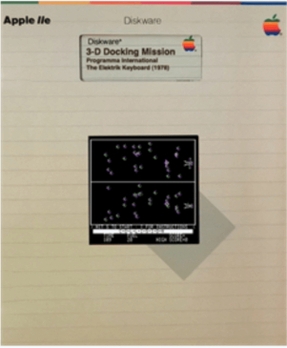
3-D Docking Mission is a simulation game for the Apple II written by Chris Oberth. The game was published by Programma International and The Elektrik Keyboard of Chicago, Illinois in 1978.
Gameplay
The object of 3-D Docking Mission is to maneuver a spacecraft through an asteroid field and safely dock with its mothership. The ship begins each round with a limited supply of fuel (40 points) which is consumed as the player uses thrusters to pilot the craft. The game ends as a loss if the player’s ship runs out of fuel, collides with an asteroid or runs too quickly into the mothership. If the ship reaches the mothership and successfully enters the docking port, the player wins the round and a new one begins with more densely grouped asteroids.
The game presents the player with two views of the playing area — one from above and one from the side. Using these views, the player selects among six thrusters to fire, controlled by keys on the keyboard: T and B to move up and down, < and > to move left and right, and H and F to move forward or backward. The bottom of the screen shows mission time, amount of fuel remaining, as well as the current score and the high score.
References
External links
- 3-D Docking Mission can be played for free in the browser at the Internet Archive
- 3-D Docking Mission at MobyGames


