


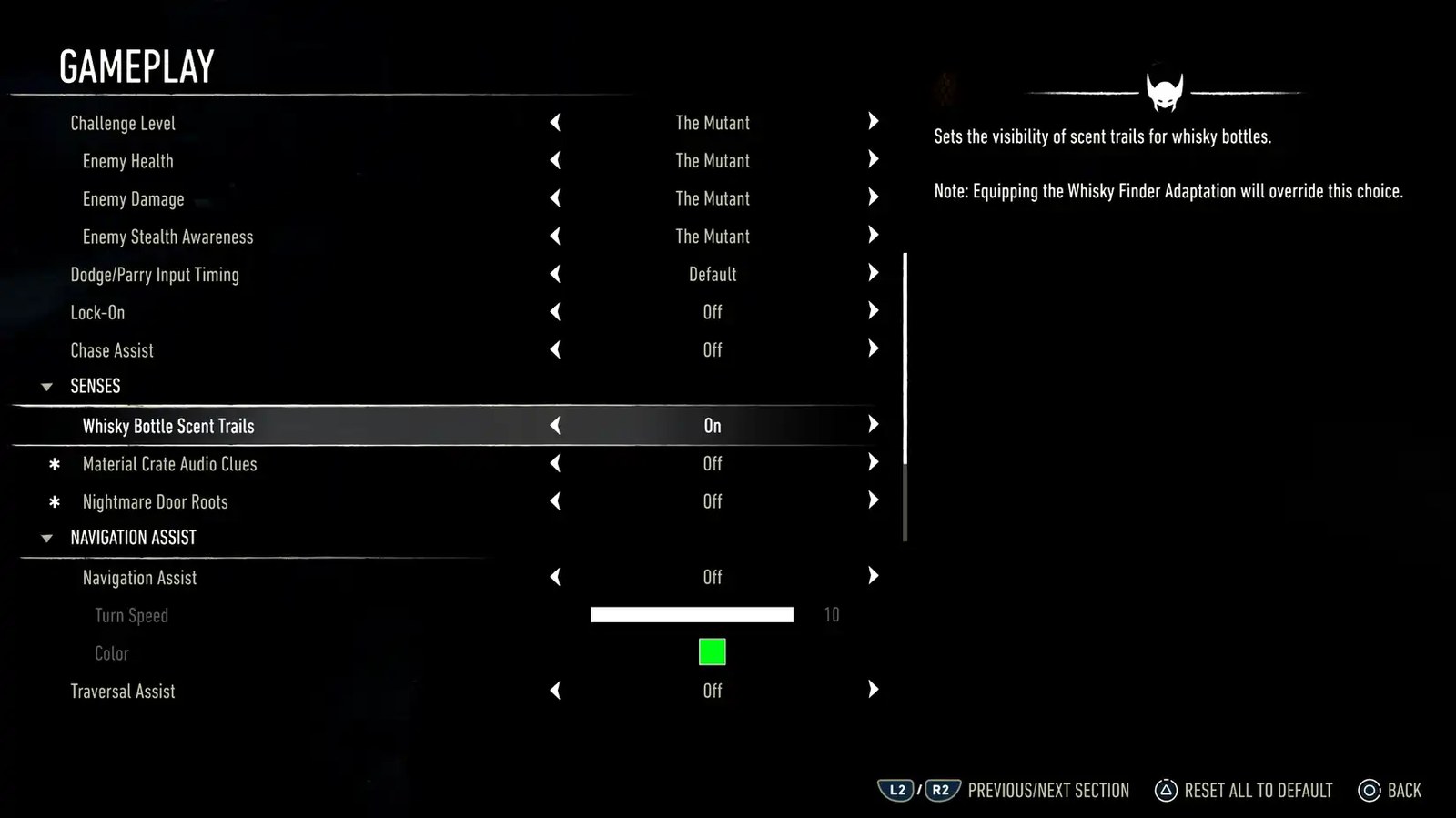
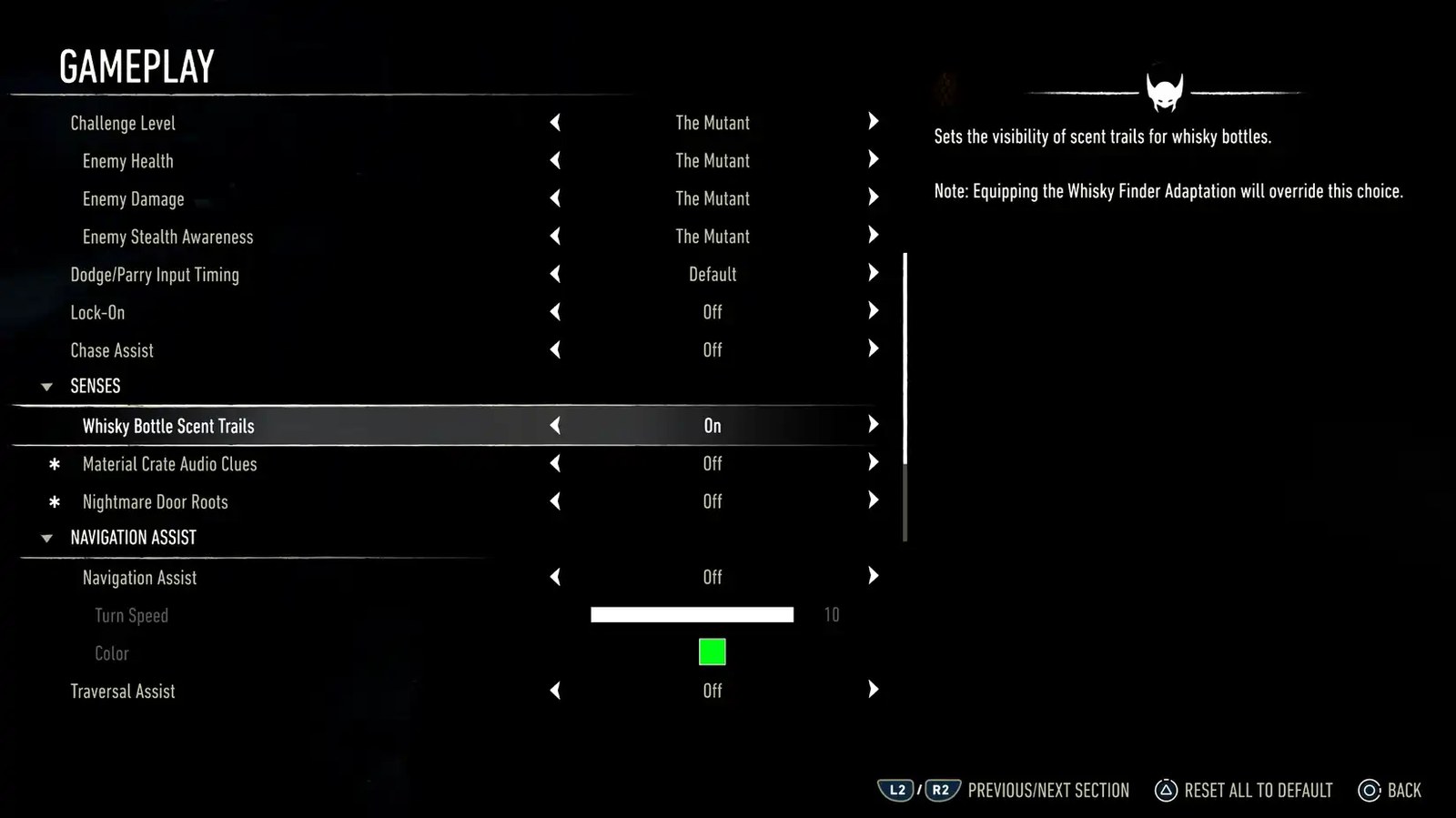
Insomniac Games has given PlayStation 5 owners of Marvel’s Wolverine the long-awaited ability to turn off the game’s most controversial feature: its directional “senses.” Released on September 25 as update 1.001.006, the patch introduces a dedicated Senses section within the gameplay settings menu, letting players individually disable scent trails, audio cues, and root markers that have long drawn criticism for steering the experience too heavily by the hand. The move comes after months of player frustration over the game’s pronounced linearity and follows an earlier September 18 update that had already softened how visually intrusive those senses appeared on screen.
Marvel’s Wolverine is fundamentally a linear action title, and at numerous points the player’s path is guided by Wolverine’s heightened senses. In practice, these took the form of faint scent trails pointing toward whiskey bottle collectibles, audio cues signaling the location of material crates, and glowing roots that led players to doors during the Nightmare Trials. While the system ensured newcomers would rarely get lost, it also became a lightning rod for complaints about a lack of player agency. Around the time of the game’s launch, Insomniac told players it was exploring the possibility of adding a toggle for these Wolverine senses, and nearly a month later that promise has become reality.
A Settings Menu, Not a Full Overhaul
Insomniac has been careful to note that the change does not strip the senses from the game entirely. Certain senses the studio considers “story-critical” will remain present in the world, so the update functions as a granular opt-out rather than a wholesale removal. Players can now navigate to the Senses section and decide exactly which elements they want to keep or silence, giving those who prefer a more exploratory experience the freedom Insomniac originally intended to offer.
“We’ve heard from the community that these senses can feel like a rail, and we wanted to give players the choice to dial them back without breaking the moments where they’re essential to the story.”
Insomniac Games
For those who were waiting for a compelling reason to dive into the PlayStation 5 exclusive now that the title has shipped, this patch arguably delivers one. Beyond the toggle, update 1.001.006 bundles a raft of technical fixes that had annoyed the player base since launch. Insomniac addressed several crashes identified through crash logs and community reports, patched an issue that left players stuck while sliding down a tree in the “The One That Got Away” mission, and corrected misaligned claws appearing in Photo Mode. The update also resolves a rare problem where objects could turn white after extended play sessions and fixes an overlapping bathroom sign in the casino, a glitch born from a UV mapping issue that had led some players to speculate the game was secretly powered by generative AI.
Looking Ahead
With the senses toggle now live and a batch of stability fixes in place, the immediate focus for Insomniac appears to be monitoring how players use the new option and refining the experience accordingly. The studio has shared the full list of patch notes for transparency, and the door remains open for future updates should the community request further adjustments. For now, Marvel’s Wolverine stands as a more flexible, less rail-like entry into Insomniac’s catalog, and the launch window that many treated with caution has quietly become one of the more forgiving post-release experiences in recent memory.



Join the conversation