


このゲームについて
Game 概要 & History
Hey there! Welcome to Rigid Boy 2!
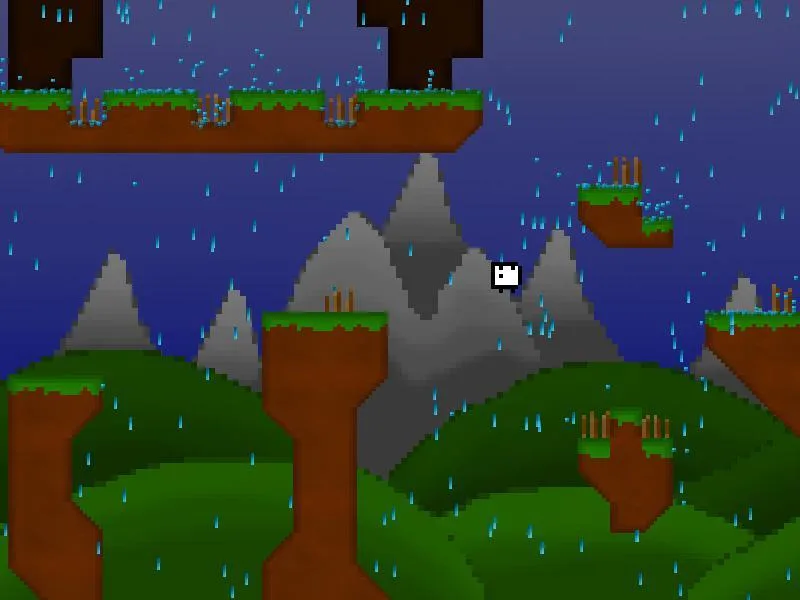
Rigid Boy 2 is an 8-bit Game, designed and created by myself and Murii.
ゲームプレイ Mechanics & Systems
Travel through many different biomes and try to get as far as you can!
Your whole environment is filled with Spikes, Lava, High Places and some Monsters. Be careful! You can die and/or get killed by each one of those creeps.
Release & Industry Impact
Features
Different Biomes (Volcano, Hills,…)
Spoooooooky Ghosts!!! (naaaaah just a joke)
100+ Blocks
Cool Particle-effects
Level Editor
Double player mode
Controls
Player 1
Key
Left
Left-key
Right
Right-key
Jump
Up-key
Sneak
Down-key
Respawn / Sacrifice
Enter
Player 2
Key
Left
A
Right
D
Jump
W
Sneak
S
Respawn / Sacrifice
F
F1 for debug-information
F2 for Screenshot
F6 to show the ‘Laggometer’
F12 to switch between different camera-modes
ToDo
a lot of new levels and blocks
to fix a lot of small bugs
more backgrounds
a function to upload own worlds
changable resolution
Please remember that this is my first ‘real’ Game and I’m not the best Programmer either. It would be nice if you support me; ideas, bug reports or small donations are welcome!
Thanks for your Support!
ウェブサイト: http://luke100000.co.nf/
メールアドレス: 2rigidboy@gmail.com
(Attention: Game may cause ultimate rage)
ギャラリー


会話に参加する