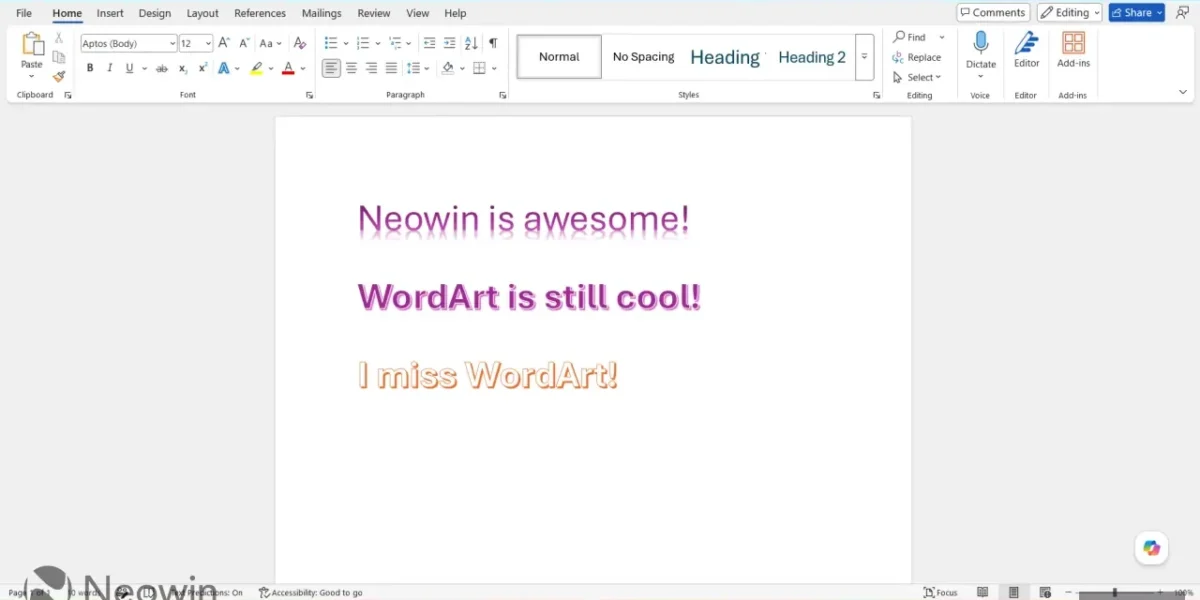
For more than twenty years, I have relied on Microsoft Word across academic, professional, and personal projects. While I began with the perpetual Office suite, I’ve been a Microsoft 365 Family subscriber for over five years, ensuring my Word installation receives continuous updates—some of which I find less appealing, but that’s beside the point.
As Microsoft rolls out fresh features, older staples gradually recede into the background. While reminiscing about my early Windows days, I recalled a once‑essential capability that I’d used extensively in my youth, yet I haven’t touched in over a decade and rarely see in others’ documents. That feature is WordArt.
WordArt isn’t exclusive to Word; it appears across Office apps such as PowerPoint and Excel. Nevertheless, I gravitated most toward it while crafting school assignments and other deliverables.
In a subtle yet telling shift, Microsoft has quietly demoted WordArt from its once-prominent Home tab to the more obscure Insert toolbar, alongside a host of other legacy utilities. The move underscores how the feature has slipped from the mainstream of academic and professional document creation, as designers increasingly turn to dedicated graphic‑design suites for their visual needs.
While WordArt still exists as a nostalgic throwback for those who grew up with its flamboyant text effects, it rarely appears in contemporary school projects or corporate reports. Even many children are unaware of its existence, a testament to the feature’s gradual fade from everyday use.
❓ Frequently Asked Questions (FAQ)
What is WordArt and why has it become less prominent in recent Office updates?
WordArt is a decorative text feature that lets users add stylized, graphic-like lettering to documents, presentations, and spreadsheets. Over the past decade, Microsoft has shifted its focus toward more streamlined, productivity-oriented workflows, and many users now prefer dedicated graphic‑design tools for visual flair. As a result, WordArt has been moved from the prominent Home tab to the less obvious Insert toolbar, reflecting its reduced role in everyday document creation.
How can I still access WordArt in the latest Microsoft Office versions?
In the current Office suite, you can find WordArt by clicking the Insert tab on the ribbon, then selecting the WordArt button (usually located in the Text group). If you don’t see it, you may need to customize the ribbon or quick access toolbar to add the WordArt command for easier access.
Are there alternative ways to add visual flair to documents now that WordArt is less visible?
Yes. Users can incorporate shapes, icons, and text effects from the Insert > Shapes and Insert > Icons menus. Additionally, Office now offers a variety of built‑in themes, SmartArt graphics, and the new “Design Ideas” feature that automatically suggests visual enhancements. For more advanced design, many turn to dedicated graphic‑design software like Adobe Illustrator or Canva, but within Office, these tools provide robust alternatives to classic WordArt.
News Source: Neowin





Comments
Be the first to comment.