

Dual-Channel Architecture: Interleaving, Rank Switching, and IMC Saturation
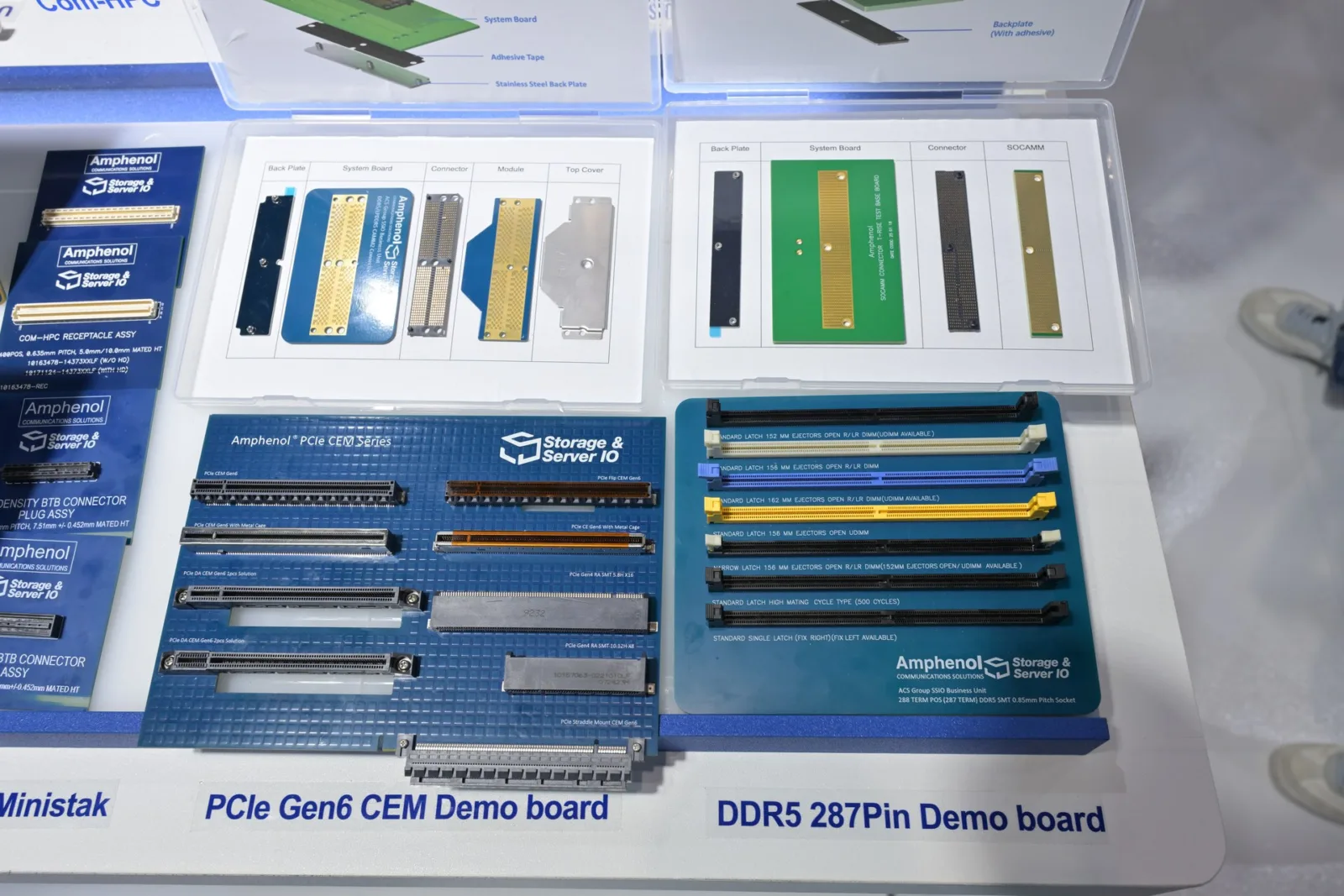
Dual-channel memory is not merely a marketing term; it is a physical implementation of 128-bit wide data paths split across two independent 64-bit channels, each driven by its own command/address bus. When populated symmetrically — identical capacity, rank count, and timing parameters — the memory controller interleaves cache lines at the granularity of 64 bytes, effectively doubling peak theoretical bandwidth and halving average access latency for multi-threaded workloads. Asymmetric populations (e.g., 8 GB soldered + 16 GB SO-DIMM) force the IMC into flex-mode operation, where only the overlapping region benefits from interleaving while the remainder runs in single-channel, creating unpredictable latency spikes. Furthermore, rank density matters: dual-rank (2Rx8) modules allow the controller to keep one rank active while precharging the other, hiding tRCD/tRP penalties. However, the integrated memory controller (IMC) inside modern CPUs imposes hard limits on supported ranks per channel (typically 4R/channel for DDR5, 8R/channel for DDR4). Exceeding these limits forces the IMC to downclock the data rate or increase command/address latency (tCWL, tRDRD) to maintain signal integrity. DirectUpgrades validates each kit against the exact processor stepping and BIOS microcode revision, guaranteeing that the selected density and rank structure remain within the IMC’s electrical envelope without manual voltage tuning.


JEDEC Voltage & SPD Compliance
Every module verified via PC hardware compatibility engine ships with SPD profiles calibrated to strict JEDEC 1.1 V (DDR4) or 1.1 V VDD/VDDQ (DDR5) baselines, ensuring immediate POST compatibility even on locked OEM platforms that disable XMP/EXPO. The platform cross-references the motherboard’s qualified vendor list (QVL) and the CPU’s official memory support matrix, preventing the common scenario where a 3200 MT/s kit defaults to 2133 MT/s because the IMC cannot train the higher frequency at standard voltage.
PCIe 4.0/5.0 NVMe: Lane Multiplexing, Thermal Saturation, and Random IOPS Scaling
The transition from PCIe 3.0 x4 (3.94 GB/s) to PCIe 4.0 x4 (7.88 GB/s) and PCIe 5.0 x4 (15.75 GB/s) exposes the storage controller to vastly higher power densities. A Gen5 x4 PHY can dissipate 7–10 W sustained, overwhelming the minimal copper pour of a typical M.2 slot and triggering thermal throttling within seconds of sequential workloads. Effective mitigation requires a multi-layer thermal strategy: a graphene-enhanced copper spreader on the controller die, a high-emissivity alloy heatsink on the NAND packages, and — critically — airflow alignment with the system’s primary exhaust path. DirectUpgrades selects only drives with onboard DRAM caches (SLC or DDR4) and validated thermal solutions that maintain Tjunction below 85 °C under 100 % duty-cycle writes. Beyond thermals, random 4K QD1 read/write IOPS scale with the controller’s flash translation layer (FTL) parallelism and the number of active CE (chip enable) lines. DRAM-less designs using Host Memory Buffer (HMB) suffer latency variance under memory pressure, whereas dedicated DRAM buffers sustain consistent QoS. The platform verifies that the target laptop or desktop exposes the full x4 lane allocation (not shared with Wi-Fi or SATA via chipset multiplexing) and that the BIOS supports ASPM L1.2 substates for idle power savings without exit latency penalties.
Verified Laitteisto Compatibility Engine
Before ordering any memory or storage module, verify your exact system motherboard architecture and memory controller limits with the M.2 NVMe SSD upgrade advisor to ensure 100% plug-and-play compatibility.
| No | Laitteisto Component | Factory Stock Standard | DirectUpgrades Verified Spec | Real-World Performance Impact |
|---|---|---|---|---|
| 01 | Memory Architecture | Single-Channel 8GB / Asymmetric | Dual-Channel 32GB (2x16GB) Symmetrical | Doubles Memory Bandwidth, Eliminates Frame Drops |
| 02 | JEDEC / SPD Profile | Generic High-Latency CL22+ | Low-Latency Tight Timings CL40/CL30 | Reduces CPU Wait-States and Memory Latency |
| 03 | Primary Storage Interface | SATA 2.5″ / DRAM-less Gen3 | PCIe 4.0/5.0 NVMe with Dedicated DRAM | Up to 14x Faster Sequential and 4K Random Reads |
| 04 | Form Factor & Thermal | Bare PCB Throttling Under Load | Engineered Graphene/Alloy Heatsink | Sustained Peak Speeds Without Thermal Throttling |
| 05 | Compatibility Guarantee | Trial and Error / Boot Failure Risk | DirectUpgrades Model-Specific Verified | 100% Plug-and-Play Handshake with Motherboard |
Automated Model-Level Verification: Eliminating Incompatibility Risk
The combinatorial explosion of CPU steppings, chipset revisions, BIOS versions, and physical slot layouts makes manual compatibility validation statistically improbable for end users. A motherboard may physically accept a 64 GB DDR5 kit, yet the specific CPU’s IMC may only address 32 GB per channel, resulting in a no-POST condition. Similarly, an M.2 2280 slot may be keyed for PCIe x4 but electrically wired to the chipset (PCH) rather than the CPU, halving bandwidth and adding latency hops. DirectUpgrades employs an automated verification engine that ingests the exact system model number (SMBIOS Type 1/2 structures), queries the OEM’s validated component database, and cross-references real-time SPD/PCIe capability registers. This ensures that every recommended module negotiates the correct training sequence (DDR5 MPR/MRR, PCIe link equalization) on first insertion, preserving the manufacturer’s warranty — as consumer protection statutes in the EU, US (Magnuson-Moss), and APAC explicitly permit user-replaceable memory and storage upgrades without voiding coverage, provided no physical damage occurs.
Architectural Insight
Tools like the laptop RAM upgrade compatibility advisor are replacing generic marketplace search because they encode the electrical and firmware handshake requirements — rank population rules, IMC voltage-frequency curves, PCIe lane topology — into a single model-specific guarantee, transforming a probabilistic purchase into a deterministic engineering decision.
Frequently Asked Questions (FAQ)
Can I install DDR5 RAM into a laptop with DDR4 slots?
No, DDR4 and DDR5 modules have physically different notch keys, pin layouts, and distinct onboard power management (PMIC) architectures.
Why does DirectUpgrades verify memory controller (IMC) limits?
Because a motherboard may physically accept 64GB, but the installed CPU processor may only address 32GB, causing boot failure.
Does upgrading my laptop SSD void my manufacturer warranty?
In most global jurisdictions under consumer rights legislation, replacing user-accessible modular parts does not void overall warranty unless physical damage occurs.
What is the real benefit of dual-channel memory in modern systems?
Dual-channel memory provides two independent 64-bit communication channels to the CPU, doubling bandwidth and eliminating 1% low FPS stutters.
Have thoughts, questions, or benchmarks on this topic? Join the discussion on our forums.
Join Discussion ➔






















Liity keskusteluun