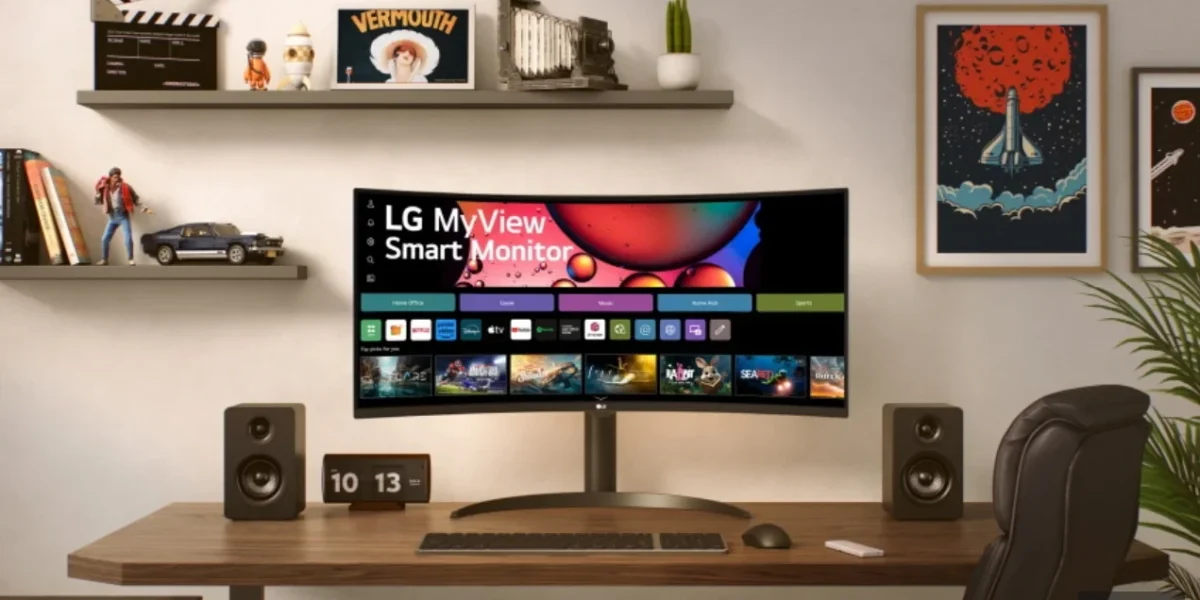
LG Electronics’ newest $1,200 monitor, the 34GX900A‑B Ultra Gear, has sparked a firestorm of backlash as users allege that the device secretly monitors them and pushes unsolicited adware onto their PCs.
Gamers Nexus, after receiving a flurry of complaints from its audience, launched an in‑depth investigation into the monitor’s behavior. Viewers had reported that the screen would automatically install McAfee promotional software whenever it was connected to a computer.
During the probe, Gamers Nexus confirmed that simply plugging the monitor into a PC triggers the “LG Monitor App Installer” via Windows Update. The installer is installed without any user prompt, and it is granted unrestricted access to system resources and the internet immediately upon installation.
The installed app then inundates users with a “free 30‑day McAfee trial” offer. Security.org has highlighted that McAfee’s software can slow devices, harvest extensive user data, and even alter default search settings to Yahoo.
Compounding the issue, LG’s automatically accepted “consent requirement” obliges users to inform household members and guests that the monitor may record them, claiming compliance with wiretapping and privacy laws. This clause further muddies the waters of user privacy and consent.
One might assume the issue would be confined to LG’s new $1,200 PC monitor, but Gamers Nexus’ recent testing shows that the LG Monitor App Installer is now also being pushed onto older LG monitors. This unexpected spread means users of legacy models are also being subjected to unsolicited software installations.
The problem isn’t limited to Windows PCs. Tom Warren of The Verge reported on X that, despite disabling all promotional settings on his LG TV, he still received a pop‑up offering a 15% discount on every trip via the LG Travel+ app. This demonstrates that the advertising push extends beyond monitors to other LG devices.
In response to the backlash, LG issued a statement to TechRadar, emphasizing that McAfee is not installed automatically and never appears without the user’s explicit consent. The company clarified that the LG Monitor App Installer is distributed through Microsoft’s official Windows channel, and McAfee will only be installed if the user actively chooses to proceed and provides consent.
LG has reiterated that its televisions do not record, store, or transmit ambient conversations. The company clarified that the voice‑recognition capability is entirely optional, activated only by the user, and processes audio data solely to fulfill the specific request made at that moment.
In response to user concerns, LG has agreed to immediately disable the intrusive McAfee pop‑up that appeared within its application, a move that aims to smooth the experience for its high‑end customer base.
Microsoft’s executive vice president, Pavan Davuluri, took to X to confirm that the tech giant had coordinated with LG and promptly disabled the McAfee pop‑up from the TV’s app. This action underscores Microsoft’s role in ensuring a seamless integration between its Windows Update ecosystem and partner hardware.
Despite these remedial steps, many users and commentators note a glaring omission: neither LG nor Microsoft has issued a formal apology for the adware intrusion on premium devices, leaving a sense of unresolved grievance among the affected community.
❓ Frequently Asked Questions (FAQ)
What is the main concern users have with LG's 34GX900A‑B Ultra Gear monitor?
Users report that the monitor secretly installs an LG Monitor App Installer via Windows Update when connected, which then automatically installs McAfee promotional software without user consent, raising privacy and security concerns.
How does the monitor trigger the installation of adware on a PC?
When the monitor is plugged into a computer, it initiates the LG Monitor App Installer through Windows Update. The installer runs silently, grants itself full system and internet access, and then pushes a free 30‑day McAfee trial onto the PC.
What steps can users take to protect themselves or report the issue?
Users should disconnect the monitor, run a reputable antivirus scan, uninstall the LG Monitor App Installer and any McAfee trial, and report the incident to LG, the U.S. Federal Trade Commission, or relevant consumer protection agencies. They can also share their experience on forums like Gamers Nexus to raise awareness.
News Source: Kotaku





Comments
Be the first to comment.