


Marvel Rivals has long struggled with optimization issues, often rendering the game unplayable on older hardware. To tackle this, NetEase Gry released an experimental optimized client designed to reduce CPU load. Here’s how to install it and whether it’s worth the effort.

- The optimized client is available as a free DLC on Steam.
- It primarily targets CPU-intensive operations.
- Testing shows significant improvements in minimum and 1% low FPS.
How to Install Marvel Rivals’ Experimental Optimized Client
Available on PC only. Screenshot by Dot Esport
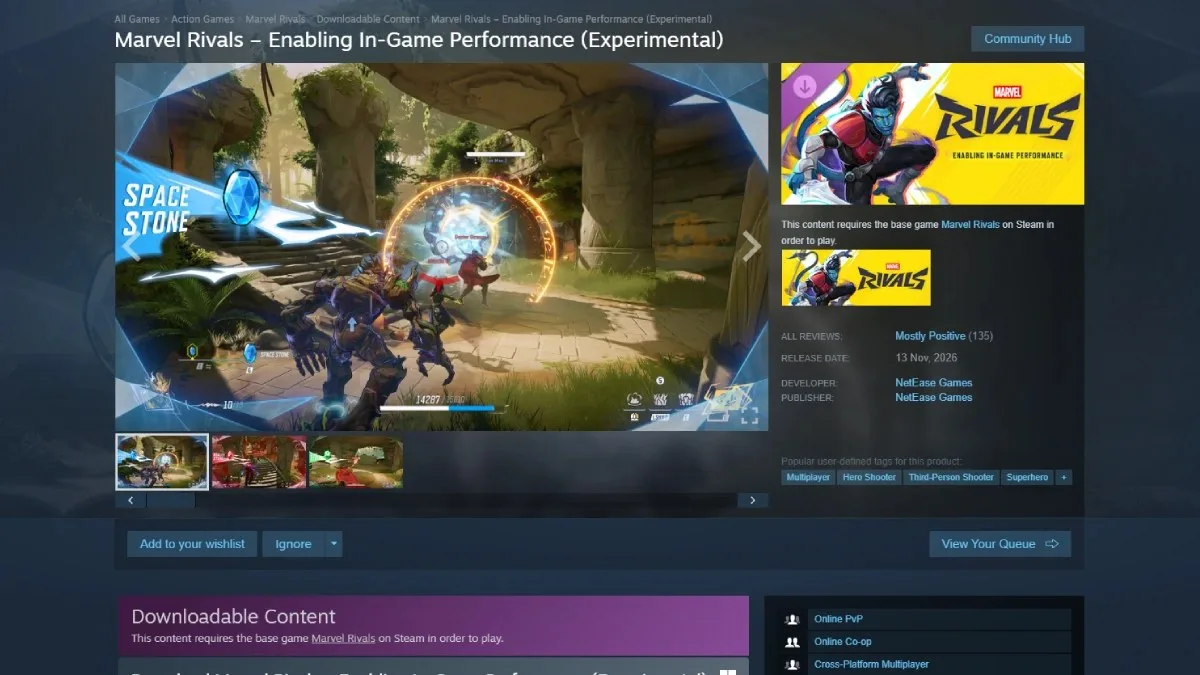
The Marvel Rivals optimized client is accessible as a free DLC on Steam. Players must add Marvel Rivals – Enabling In-Game Performance (Experimental) to their library. Upon launching the game, the DLC will install automatically, enabling the new client.
Follow these steps to activate it:
- Open Steam and search for Marvel Rivals – Enabling In-Game Performance (Experimental).
- Add the DLC to your library.
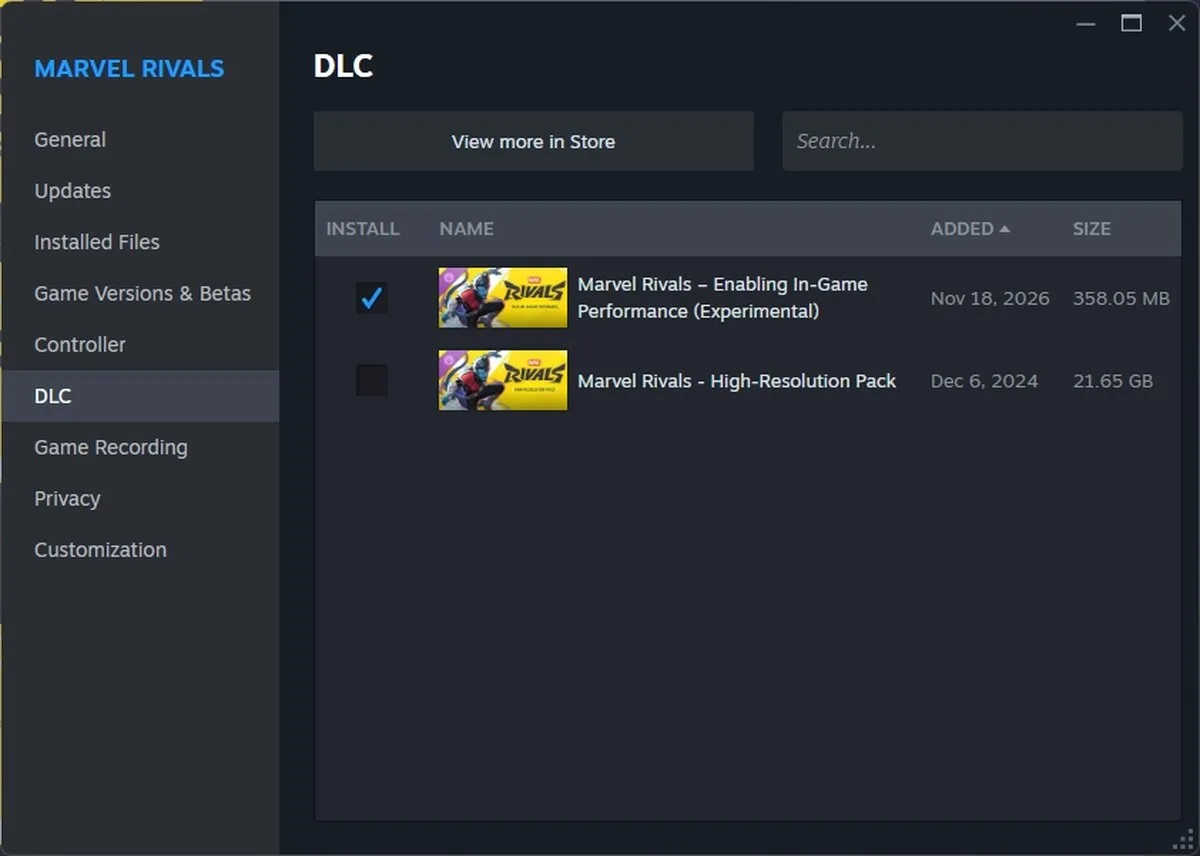
- In the Marvel Rivals DLC section, ensure the checkbox next to the DLC is enabled.
Players can also uninstall HD textures through this menu. Screenshot by Dot Esport
With the experimental client enabled, the game’s visuals remain unchanged. To evaluate its impact, run the Performance Test in the Display settings.
Performance Test: Marvel Rivals Optimized Client
Before. Screenshot by Dot Esport
After. Screenshot by Dot Esport
The optimized client focuses on reducing CPU usage, making it particularly beneficial for systems with weaker processors. The test was conducted on an older rig featuring an RTX 3060 GPU and an AMD CPU—a common bottleneck scenario.
On average, the client delivered an additional 10 FPS, while CPU utilization dropped by 10–12%. GPU usage rose by roughly 7%, but most other metrics stayed consistent.
However, the most notable improvement occurred in 1% Low FPS. Both 1% Low FPS and Minimum FPS doubled from 30 to 60. This marked a substantial reduction in frame drops, resulting in noticeably smoother gameplay, though occasional dips persisted.
Note that this client remains in experimental status. Performance results may vary based on hardware, and users might encounter bugs.
Is the Marvel Rivals Optimized Client Worth Using?
Yes. If you experience frequent FPS drops or play on a system with a less powerful CPU, the client could significantly enhance your experience.
What Does the Optimized Client Do?
It primarily reduces CPU load during gameplay.
What’s the Biggest Improvement?
The client drastically raises minimum and 1% low FPS, leading to more stable frame rates.
Have thoughts, questions, or benchmarks on this topic? Join the discussion on our forums.
Join Discussion ➔






















Dołącz do dyskusji