

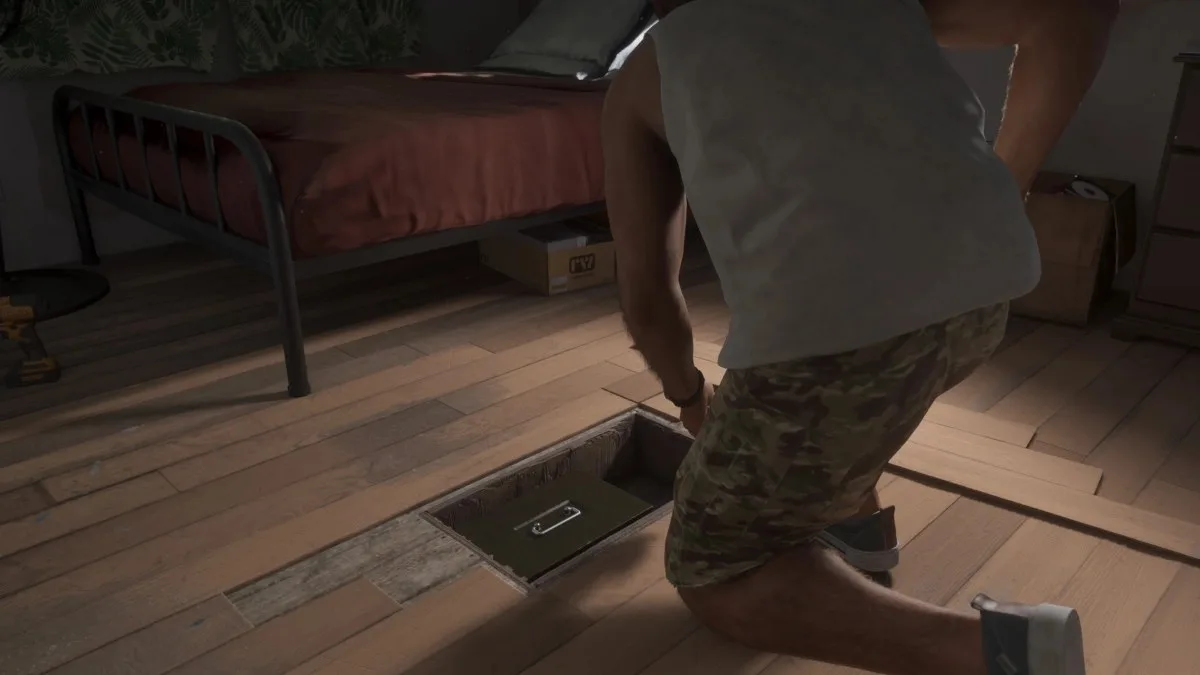
Storing cash in your home is one of the most effective ways to safeguard your money in GTA 6. Early in the game, Jason’s bedroom features a hidden stash beneath the floorboards, which keeps your funds secure if he is killed (Wasted). However, players should transition to using a bank account once unlocked to manage larger sums safely.

GTA 6 does not provide a bank account immediately. Once the BuckMe system is unlocked, players can use ATMs to deposit larger amounts into their account instead of relying on physical cash storage.
- The stash is located under the floorboards in Jason’s bedroom.
- Use it before unlocking BuckMe.
- Avoid carrying more cash than necessary.
- Transfer the stash’s contents before the end of Chapter 1.
- Where is the house stash in GTA 6?
- How to store cash in the stash in GTA 6
- FAQs
Where is the House Stash in GTA 6?
The stash is located in Jason’s house in Key Lento, Mariana County. It is accessible during Chapter 1, before a proper bank account is unlocked.
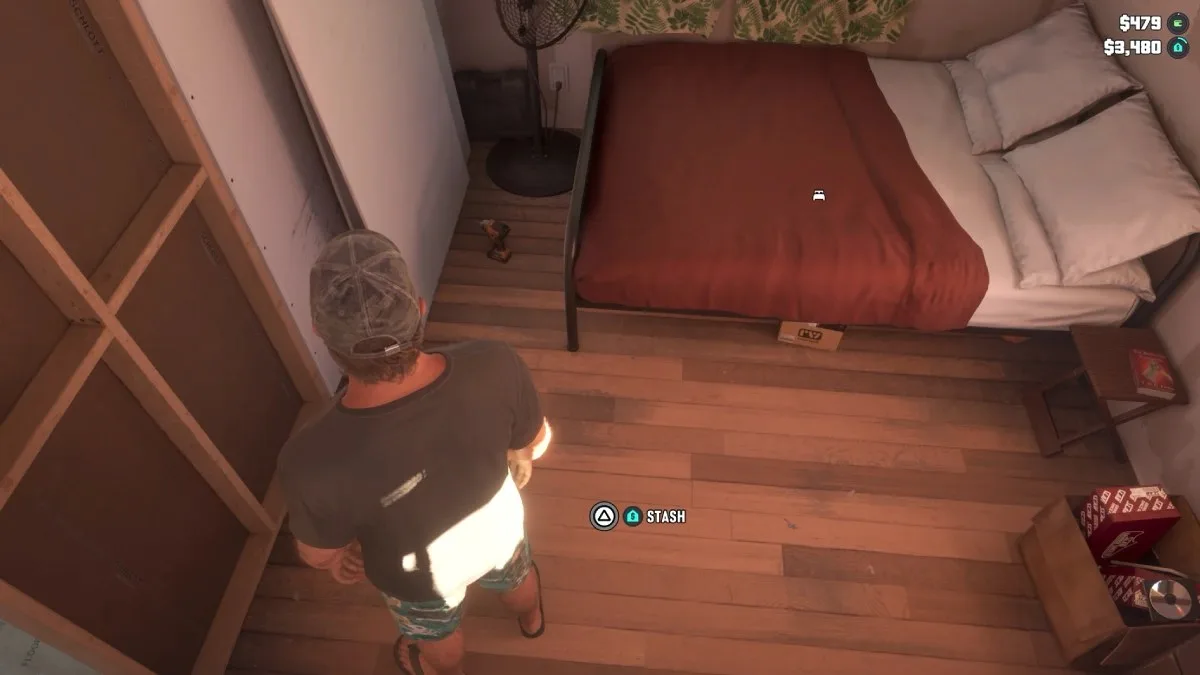
- Enter Jason’s house.
- Head to his bedroom.
- Inspect the floor for loose floorboards.
- Interact with them when the prompt appears.
- A hidden compartment will open.
- Select the cash you wish to store and confirm the action.
The stash is not overtly visible, making it easy to overlook. Simply approach the bedroom floor and watch for the interaction prompt.
How to Store Cash in the Stash in GTA 6
Once the floorboards are identified, follow these steps:
- Press the interaction button when prompted.
- Open the cash storage menu.
- Select the amount of cash you want to deposit.
- Confirm the deposit.
Players can also retrieve cash later if needed. The stash functions as a secure vault for your money. In the early game, carrying cash is risky: if Jason is killed, any money in his pockets will be lost. However, cash stored under the floorboards remains safe even if he dies or is arrested.
During Chapter 1, the BuckMe app is unlocked via the “Buck Me” mission, which requires setting up a bank account. Afterward, players can deposit cash at ATMs.
BuckMe is safer for larger sums, as it represents a legitimate bank account. There are limits on how much cash can be carried or deposited at once, so it’s advisable to bank funds regularly rather than accumulating large piles.
Ensure You Move the Money from Your House
The cash stored in Jason’s floorboard stash is not permanent and may not carry over after Chapter 1 concludes (spoiler-free details).
Before advancing to the next chapter, transfer as much money as possible into Family Savings. This maximizes your chances of retaining earnings during the story transition and will greatly simplify gameplay later in GTA 6.
Does the House Stash Protect Money If You Die?
Yes, cash stored in the bedroom stash is protected if Jason is killed.
Does the Floorboard Stash Carry Over to Chapter 2?
No. Players should move their money into Family Savings before the chapter ends.
BuckMe is Jason’s bank account, unlocked during Chapter 1.
Have thoughts, questions, or benchmarks on this topic? Join the discussion on our forums.
Join Discussion ➔





















1 comment