

Double XP Tokens in Modern Warfare 4 help you level up your account and weapons much faster. You can earn them through various methods, use the ones you’ve previously collected, and then activate them before jumping into Multiplayer or DMZ.

Quick summary
- Choose Rank XP for account progression or Weapon XP for gun levels.
- Activate one of each to boost both at the same time. Token timers only run during active matches in MW4.
- Save tokens for regular sessions, as they are disabled during official Double XP events.
Table of contents
- What Double XP Tokens do in MW4
- How to activate Double XP Tokens in Multiplayer
- How to activate Double XP Tokens in DMZ
- How MW4 token timers work
- Can you stack Double XP Tokens?
- Best ways to use Double XP Tokens
- FAQ
What Double XP Tokens do in MW4
There are two main token types in MW4:
- Double XP Tokens: Boost the XP you earn toward your Player and Career Levels
- Double Weapon XP Tokens: Boost Weapon XP, helping you unlock attachments, camos, and weapon upgrades faster
How to activate Double XP Tokens in Multiplayer
Activating a token only takes a few seconds:
- Load into the Multiplayer main lobby
- Look for the XP Token menu in the bottom-right corner of the screen
- Click on the XP Token indicator icon
- Choose either Rank XP or Weapon XP
- Select the token duration you want to use, such as 15 minutes, 30 minutes, 45 minutes, or one hour
- Confirm the activation and queue for a match
Your bonus starts as soon as you enter a match.
How to activate Double XP Tokens in DMZ
For DMZ, you can activate tokens before deploying or during a match.
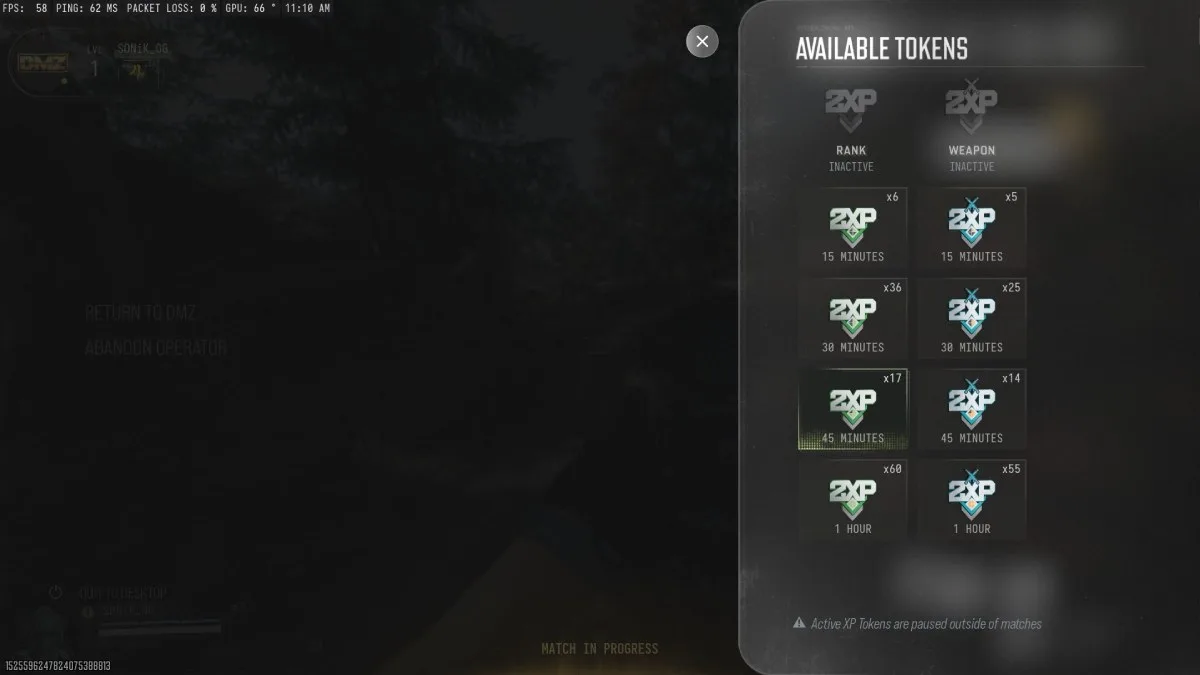
Before a DMZ deployment
- Go to the FOB (Forward Operating Base)
- Open the left-hand menu
- Select the XP Token menu
- On controller, press and hold R3 to open your token list; on PC, click the token option with your mouse
- Pick a Rank XP or Weapon XP token
- Activate it and deploy into a match
Screenshot by Dot الرياضات الإلكترونية
During a DMZ match
- Open the pause menu
- Find the two XP Token slots near the bottom of the menu
- Select the R3 icon on the controller or click the relevant option (usually G) on PC
- Choose an available token
- Activate it and continue playing
This is useful if you suddenly decide to grind a new weapon or realize you want faster account progression mid-session.
How MW4 token timers work
This is the biggest change in Modern Warfare 4. Unlike older Call of Duty titles, your Double XP Token doesn’t burn down if you aren’t in a match. A one-hour token gives you one hour of active match time, not one hour of real-world time.
If you activate it, play for 20 minutes, then return to the lobby, the remaining 40 minutes will still be available when you enter your next match. However, pausing the timer does not extend the token. If you use 20 minutes, you still have only 40 minutes of boosted play left.
Can you stack Double XP Tokens?
You can run different token types at the same time. For example, you can activate a Double XP Token and a Double Weapon XP Token together to speed up both account and weapon progression. But you can’t stack two tokens of the same type. You can’t run two Rank XP Tokens simultaneously to get quadruple XP. You have to finish one Rank XP Token before starting another.
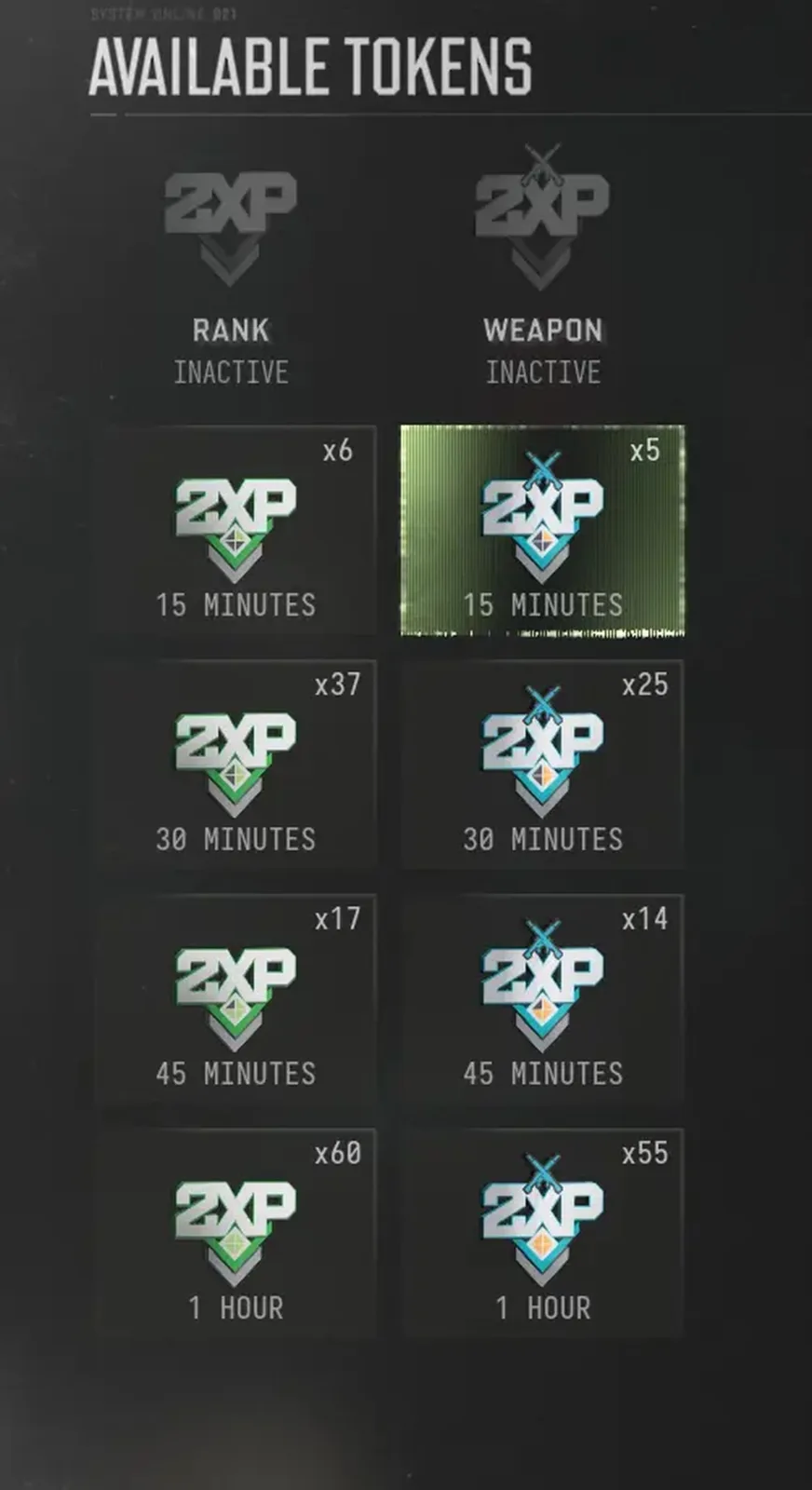
Personal Double XP Tokens are also disabled during official Double XP Weekends. During those events, the game already provides the XP boost, so your stored tokens are temporarily unavailable. If a Double XP event is live, save your tokens for a normal play session afterward.
Screenshot by Dot الرياضات الإلكترونية
Best ways to use Double XP Tokens
Use Rank XP Tokens in objective modes, such as Hardpoint and Domination, to gain strong XP through captures, defends, kills, and match completion. Use Weapon XP Tokens on a new gun. Early weapon levels matter most because they unlock more attachments.
Complete Daily Challenges while a token is active. Challenge XP adds to the XP you earn from matches, making your boosted session more rewarding. Queue back-to-back matches.
Match the token to your session: use a short token for a quick session and save one-hour tokens for when you have time to play several matches. Activate both token types when grinding weapons.
FAQ
Where is the Double XP Token menu in MW4?
It’s in the bottom-right corner of the Multiplayer lobby and in the DMZ FOB menu.
Can you use Double XP Tokens in DMZ?
Yes, you can activate them before a deployment or from the pause menu during a DMZ match.
Can you stack Double XP Tokens in MW4?
No, you can’t stack two tokens of the same type.
Have thoughts, questions, or benchmarks on this topic? Join the discussion on our forums.
Join Discussion ➔






















1 comment