


Om dette spillet
Game Oversikt & History
Between people, across screens.
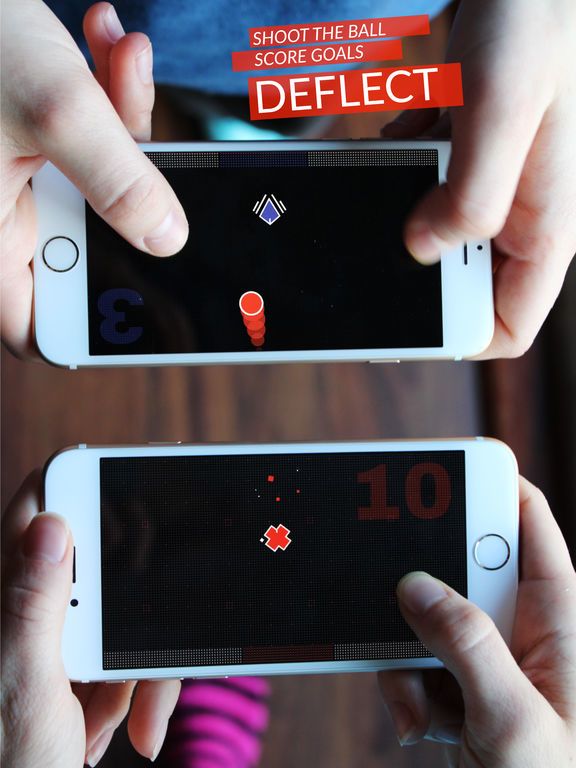
DUAL is a local flerspiller game where two players use their mobile devices to shoot from one screen to the other. It's easy to pick up and play any of the competitive or cooperative modes: DUEL, DEFLECT, and DEFEND.
Features:
+ Battle locally over WiFi or Bluetooth.
+ DUEL – Tilt your phone, dodge bullets, charge, and shoot your friends in this classic duel standoff.
+ DEFEND – Work together to defend the middle from an onslaught of attackers.
+ DEFLECT – Score goals by blasting, banking, and curving the ball from one screen to the other.
+ Only one person needs to have the full version unlocked to play DEFEND and DEFLECT with another player.
+ Collectable color sets unique to your device; unlock them all by playing against different people.
+ Single one-time in-app purchase to unlock the full game, and restore it on all your devices using the same account.
+ Stats, achievements, and leaderboards.
"Working together right next to each other really brings back the magic of couch gaming."
"…it's a really fun way to engage with another live human, up-close and personal."
"You play it with someone, anywhere, and it actually brings you closer together…"
"…sending bullets across to someone else’s phone as you sit opposite them has a curious sense of technological magic to it."
Quick Troubleshooting Guide:
+ Make sure your WiFi is enabled and both players are on the same WiFi network.
+ Use Manual IP Discovery from the WiFi lobby if unable to find each other while on the same WiFi network.
+ To restore your purchase go to the Unlock screen and select the Restore Purchases button.
Galleri


Bli med i samtalen