

Call of Duty: Modern Warfare 4 is out, and if you want higher FPS with clear visuals, your setup has to be competitive-focused instead of using the recommended preset.

The settings mentioned below are aimed at 1080p with hardware around an RTX 3060 Ti.
Quick summary
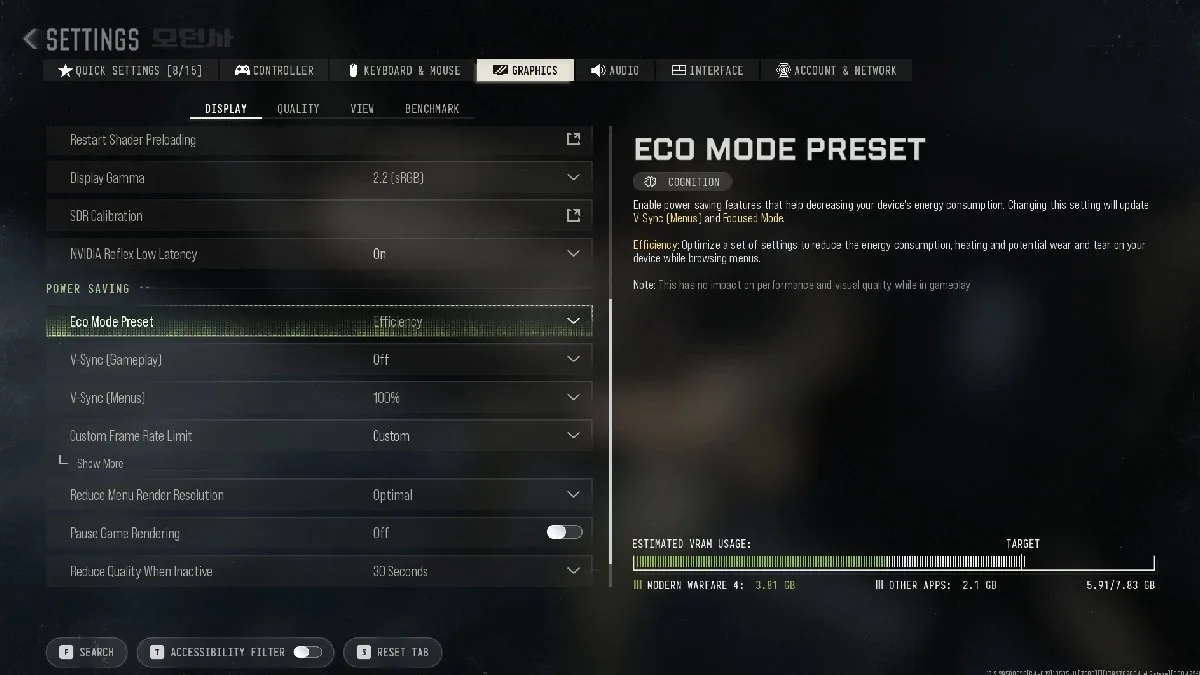
- Use DLSS Ultra Performance 1080p for clear visuals and high FPS.
- Turn V-Sync, ray tracing, motion blur, and depth of field off to reduce latency and visual clutter.
- Keep NVIDIA Reflex on and set the VRAM Scale Target to 80% for smoother performance.
- Let shader preloading finish before jumping into matches to help minimize stutters.
Table of contents
- Best MW4 graphics settings
- Display settings
- Quality settings
- View settings
Best MW4 graphics settings
Display settings
Screenshot by Dot Espor
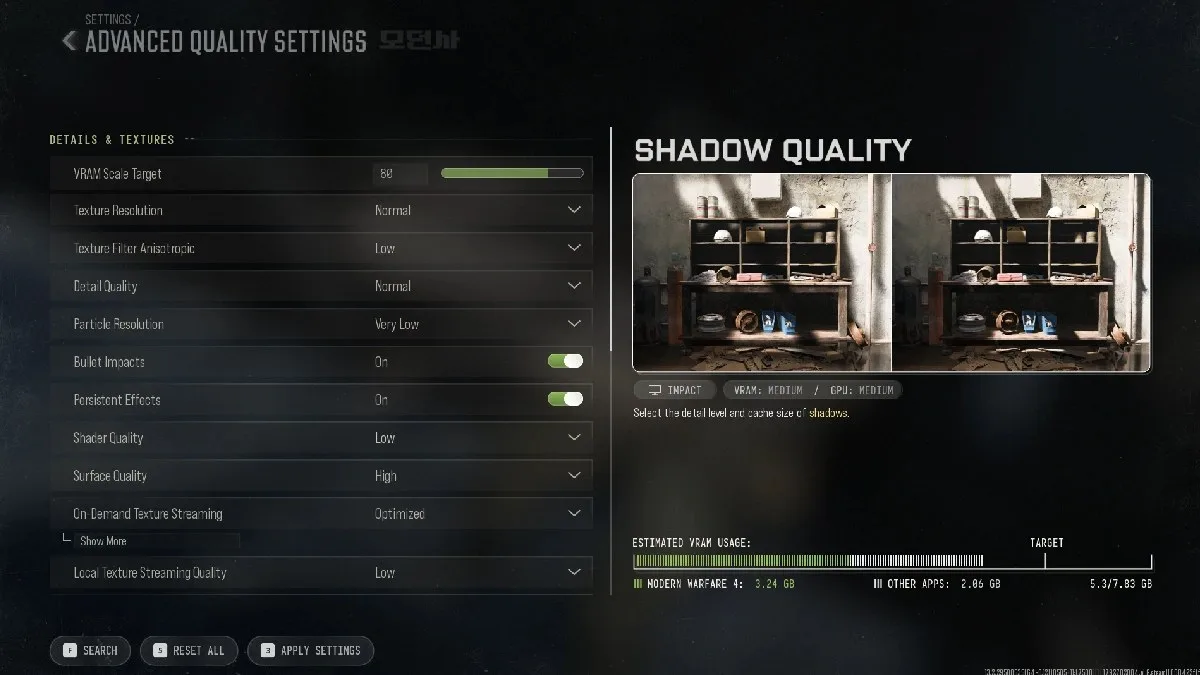
Use your monitor’s native resolution whenever possible. In the author’s case, it’s a 400Hz monitor running at 1920×1080, but the best framerate target depends on your CPU, GPU, and the refresh rate you can realistically get.
Quality settings
Screenshot by Dot Espor
Both Quality and Advanced Quality settings are included below:
Texture Resolution has a smaller effect on FPS than shadows or volumetric effects, but it uses more VRAM. If your GPU has 8GB or more VRAM, Normal textures should be safe. But use Low textures on cards with 4GB or less.
Texture filtering is usually worth keeping at Normal or High because it can make surfaces look sharper at a relatively low performance cost. Particle Resolution and Persistent Effects are easier to reduce because explosions, smoke, sparks, and other effects can become expensive during large fights.
View settings
Keep Background Shader Preloading enabled and allow it to finish before jumping into matches. Shader preloading prepares the small programs used for lighting, shadows, surfaces, and visual effects before gameplay.
This can reduce stutters and other frame-time spikes. Steam players may still need to complete a one-time shader compilation on their first launch. Battle.net players receive shader preloading from the initial installation.
Also, an SSD is required, and installing it there can also help reduce loading delays and streaming issues.
Should you turn V-Sync on in Modern Warfare 4?
Turn V-Sync off for gameplay to reduce input lag, but you can leave it on for menus.
Is DLSS good for MW4?
Yes, DLSS Quality is the best starting point for sharper visuals and higher FPS on NVIDIA GPUs.
Should I enable NVIDIA Reflex in MW4?
Yes, enable NVIDIA Reflex to help reduce system latency during matches.
Does shader preloading reduce stuttering in MW4?
Yes, let shader preloading finish before playing to reduce shader-related stuttering.
Have thoughts, questions, or benchmarks on this topic? Join the discussion on our forums.
Join Discussion ➔






















10 yorum