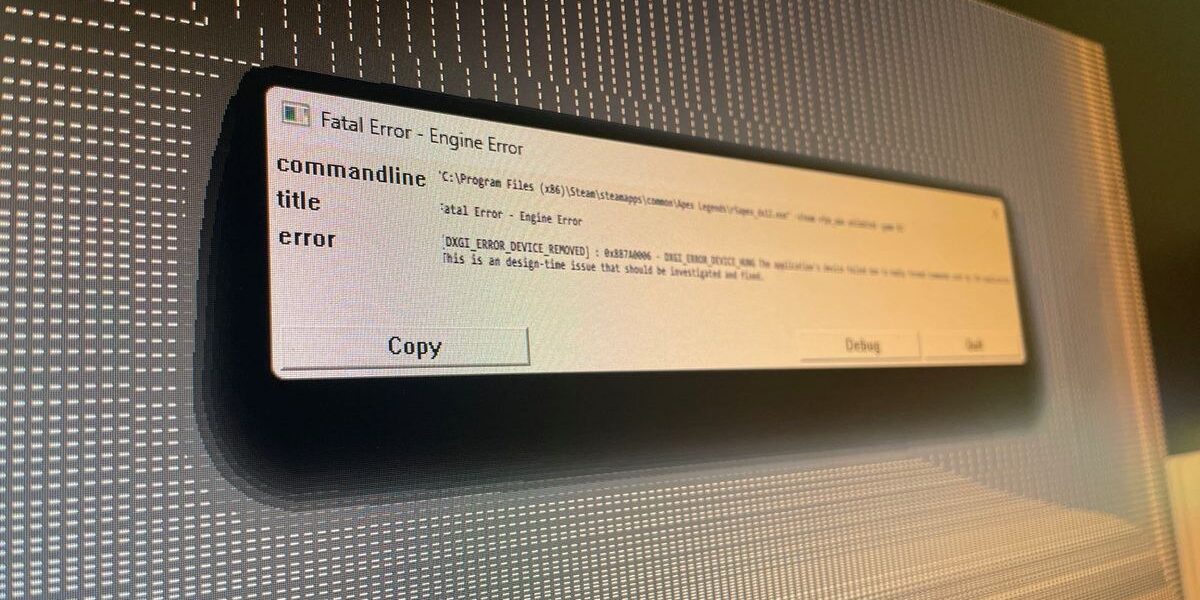
[Popular battle royale title, Apex Legends, is currently causing headaches for some players, specifically those rocking AMD Radeon RX 9070 XT graphics cards. Reports are flooding in about game crashes and frustrating error messages, leaving many gamers sidelined. Let’s dive into the issue and explore a potential workaround.]
The Problem: Apex Legends Crashing on RX 9070 XT
The official Apex Legends Twitter account has acknowledged the problem, stating that they are aware of “an issue causing crashes for players using RX 9070 XT GPUs” and are currently investigating the root cause. This isn’t just a minor glitch; it’s a full-blown crash leading to lost progress and a seriously disrupted gaming experience.
We’ve confirmed this firsthand: attempting to launch Apex Legends on a system equipped with an RX 9070 XT results in a game crash. The error message encountered points towards “invalid commands” being sent by the application, suggesting a compatibility issue between the game and the specific GPU architecture.
AMD’s Response and User Workarounds
While AMD has yet to release an official patch or driver update addressing this particular issue, some users have reported that reverting to older graphics drivers provides a temporary solution. However, as evidenced by comments on Twitter, this isn’t a guaranteed fix for everyone.
A Potential Workaround: Command-Line Options
Fortunately, the Apex Legends community is resourceful! A potential workaround has emerged from user reports that involves adding specific command-line options when launching the game through Steam. This method appears to temporarily disable a feature called “bindless rendering,” which might be contributing to the crashes on RX 9070 XT cards.
To implement this workaround, follow these steps:
- In your Steam library, locate Apex Legends.
- Click on the game’s page.
- Click on the “Settings” button (usually a gear icon).
- Select “Properties.”
- In the “Launch Options” field, enter the following commands:
+staticprop_color_use_bindless 0 +staticprop_depth_use_bindless 0 +r_drawworld_depth_bindless 0 - Close the Properties window and attempt to launch Apex Legends.
Important Considerations
It’s crucial to remember that this is a temporary fix. Disabling “bindless rendering” might result in a slight performance decrease, although the trade-off is likely worth it for those experiencing frequent crashes. The ideal solution would be an official patch from either AMD or Respawn Entertainment.
Looking Ahead
We’ll continue to monitor this situation and provide updates as they become available. Keep an eye on official channels from both AMD and Respawn for announcements regarding a permanent fix. In the meantime, try the workaround mentioned above and let us know in the comments if it resolves the crashing issue for you!
Source: PC Gamer






Comments
Be the first to comment.