

Acerca de este juego
Game Descripción general & History
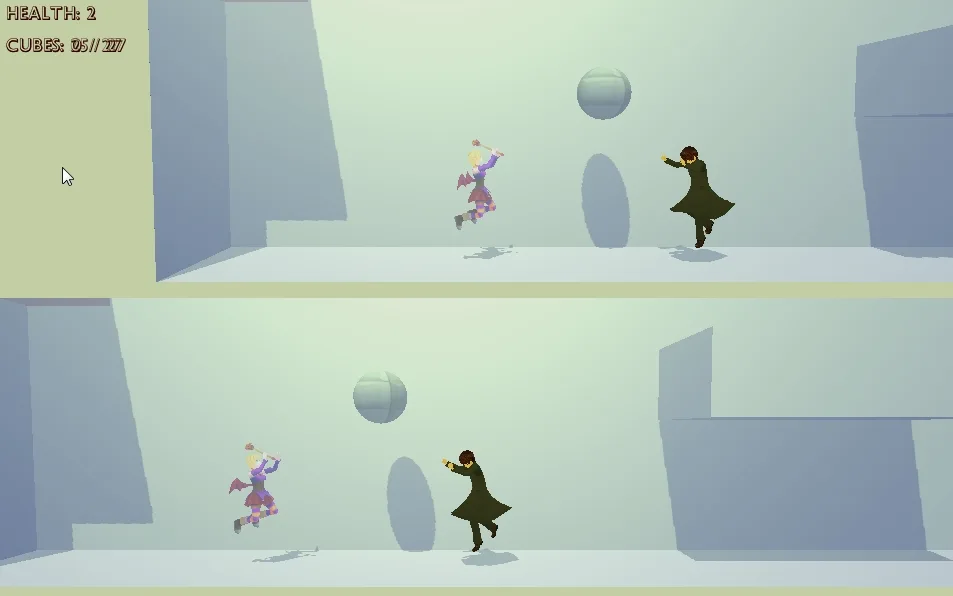
If you have two joysticks:Press any button on the first joystick, and that joystick will be set to Player 1, then press any button on the second joystick to set that to Player 2.
If you have only one joystick:Press any button on the first joystick, and that joystick will be set to Player 1, then press the F2 key to set the joystick to Player 2. Alternatively, you can press the F3 key to set the keyboard+mouse controls to Player 2.
Jugabilidad Mechanics & Systems
Game Instructions:
The two levels in this prototype have no “ending” yet, but try to collect all of the little cubes scattered throughout the levels! Good luck!Press the F1 key to alternate between the two levels.
Release & Industry Impact
Game Controls (keyboard+mouse / joystick):
(the joystick buttons shown below are using the Sony Playstation joysticks button placement as a reference)
WASD keys / Left Analog Stick: Move character.Move mouse / Right Analog Stick: Move camera.Spacebar key / X Button: Jump.E key / Circle Button: Grab, throw, push or pull objects (when in front of a pushable object, hold this button, then move the character to push or pull the object) OBS.: push and pull doesn’t work correctly in this proto.Left Mouse Button / Square Button: Attack.Caps Lock key / R2 Button: Speed Boost (hold this button, then move the character to move faster).C key / R3 (press Right Analog Stick): change camera distance from the player.
Special Commands:
F1 key: Skip level (this proto has a 3D level and a Sidescroller level).F2 key: Swap Player 1 and Player 2 joysticks.F3 key: Swap Player 1 and Player 2 keyboard+mouse controls.
Troubleshooting:
– If the game starts and the connected joysticks are apparently not working, try to disconnect and reconnect the joysticks.- If, during the game, the controls suddenly “stop working”, check if the game window has lost focus. Left click on the game window to restore focus.- In this prototype, only the Player 1 camera can be moved.
Game created by: Andrei Aguiar Müller (andreiagmu)
Galería


Únete a la conversación