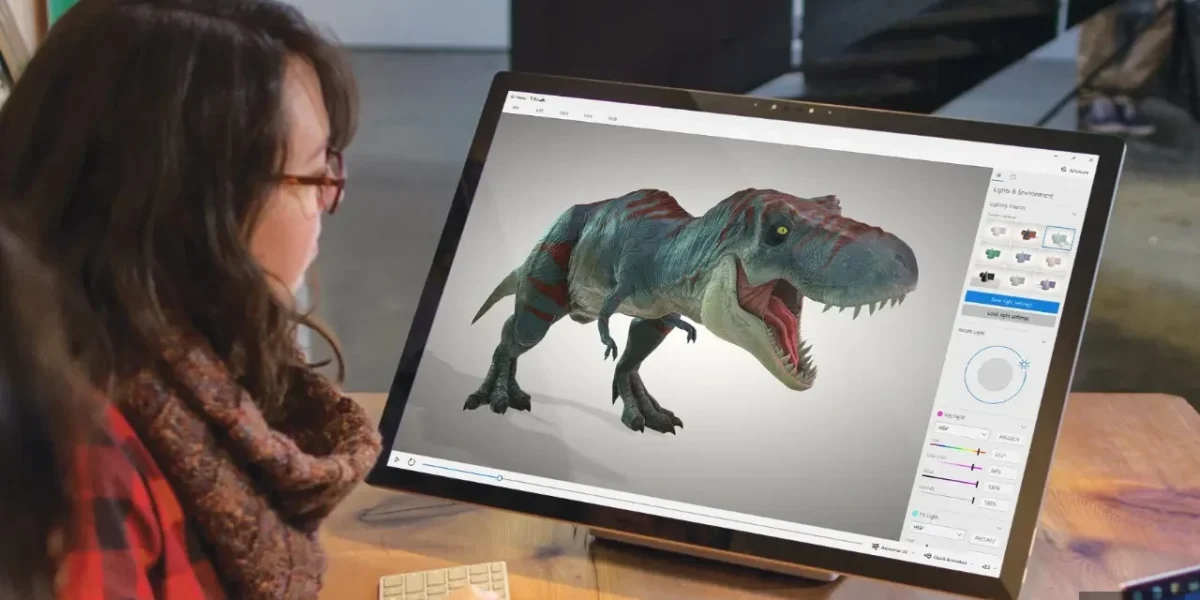
In February 2026, Microsoft confirmed the retirement of its in‑house 3D Viewer application. While the tool will continue to operate for the foreseeable future, the company has made it clear that new installations will no longer be permitted after July 1, 2026. That cutoff has now been enforced, and Microsoft appears to be honoring its commitment.
The removal from the Store was expected, given Microsoft’s earlier announcement a few months back. Existing copies of the app will keep running, but attempting to reinstall—whether after a deletion or a fresh start—will fail.
The 3D Viewer was a vestige of Windows 10’s early push to bring immersive VR/AR experiences to the desktop, a vision that never gained traction. Consequently, Redmond began stripping the app from clean OS installations, and it was never pre‑installed on Windows 11. The fate of 3D Viewer mirrors that of Paint 3D, another once‑promised feature that was quietly phased out.
For users who already have the 3D Viewer installed, there’s no immediate concern. Those who haven’t yet set up the native app can instead rely on Microsoft’s recommended alternative, the Babylon.js Sandbox. This browser‑based tool lets developers effortlessly drop a 3D model into the viewport, instantly preview it, and experiment with varied lighting scenarios, among other features.
Have you tried the 3D Viewer, and is it still part of your workflow? Share your experience in the comments below!
❓ Frequently Asked Questions (FAQ)
Why did Microsoft retire the 3D Viewer application?
Microsoft decided to retire 3D Viewer to shift focus to AI‑centric tools and free resources for next‑generation experiences. The legacy immersive tool never gained traction and was phased out of Windows 11 and the Store.
Will my existing 3D Viewer installation stop working after July 1, 2026?
Existing installations will continue to run, but new installations are no longer permitted after July 1, 2026. If you delete the app, you will not be able to reinstall it from the Store or elsewhere.
What alternative can I use to view 3D models now that 3D Viewer is gone?
Microsoft recommends using the Babylon.js Sandbox, a browser‑based tool that lets you drop a 3D model into a viewport for instant preview and lighting experiments.
News Source: Neowin






Comments
Be the first to comment.