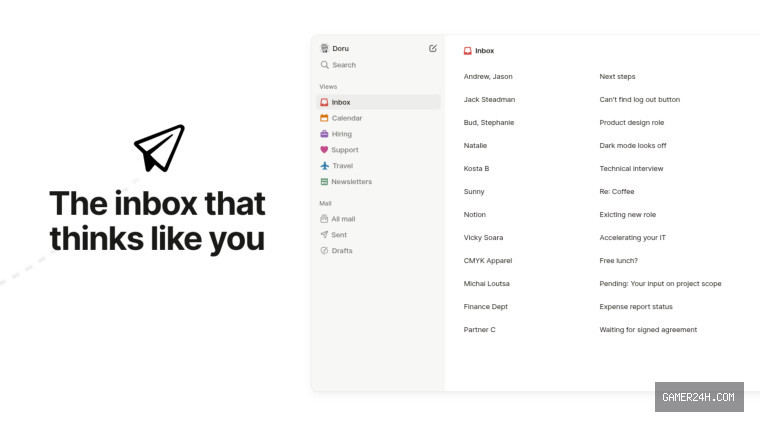
In April 2025, Notion unveiled Notion Mail, an AI‑powered email client that operates as a customizable overlay for existing accounts. Rather than replacing Gmail outright, it reimagined inbox interactions by adding intelligent auto‑labeling and automated calendar scheduling.
Starting today, June 25, you can export your data directly from the app or the web interface. The grace period extends until September 21. After September 22, Notion will permanently delete all unsaved local assets, including files attached to snippets. Your existing database syncs and mail blocks will survive, but they will cease to receive new messages.
Notion recommends that teams operating in regulated environments transition away earlier to preserve compliance. Companies dependent on HIPAA coverage face a stricter deadline, with a mandatory migration by June 30.
In a decisive move, Notion announced that it will retire its standalone email client, citing a shift in user behavior toward automation. The company highlighted that more than half of its Notion Mail subscribers already rely on Notion Agents—AI‑powered assistants—to handle their inboxes without ever opening a traditional email interface, and it plans to fully embrace these agents as the primary means of managing email.
Notion first unveiled its Agents during the “Make With Notion” conference last September. These digital assistants can operate silently in the background on user‑defined schedules—such as compiling a concise summary of open tasks each morning at 8 AM—thereby streamlining workflow and reducing the need for manual email management.
❓ Frequently Asked Questions (FAQ)
When will Notion Mail be permanently shut down and what is the timeline for data deletion?
Notion Mail will permanently shut down on September 22, 2025. Users can export their data until September 21, 2025. After September 22, any unsaved local assets—including files attached to snippets—will be permanently deleted, and the app will stop receiving new messages.
How can I export my email data from Notion Mail before the shutdown?
You can export your data directly from the Notion Mail app or via the web interface. Simply navigate to the export option in the settings and download your data before the September 21 deadline.
What should regulated teams, especially those needing HIPAA compliance, do before Notion Mail is discontinued?
Regulated teams should migrate away from Notion Mail before the stricter deadline of June 30, 2025, to preserve compliance. This ensures that sensitive data remains within compliant systems and avoids potential regulatory issues.
News Source: Neowin






Comments
Be the first to comment.