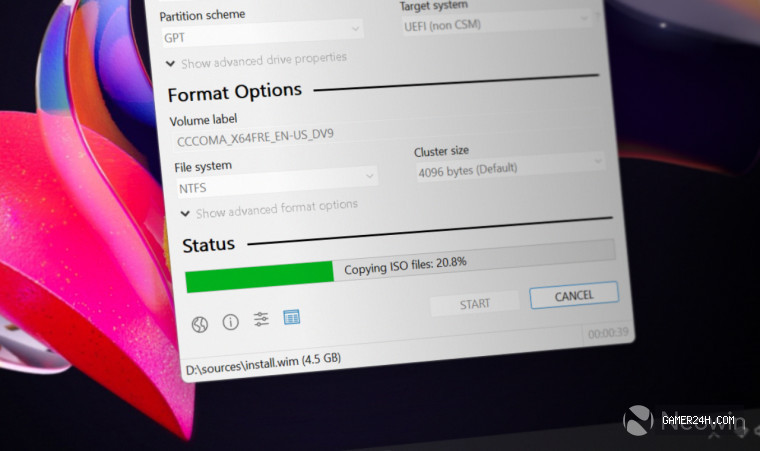
Pete Batard, the creator behind the widely used Rufus utility for crafting bootable media, has unveiled a fresh beta release—Rufus 4.15. While the update does not introduce brand‑new features, it delivers a host of refinements and bug fixes, notably enhancing support for the “Silent Windows 11 installation” mode that debuted in version 4.14 earlier this month.
The Silent Windows 11 installation feature streamlines the OS setup process by automatically handling account creation, bypassing ads and prompts, and performing other routine tasks once the system boots from the prepared drive. Although the feature was praised for its convenience, early iterations suffered from glitches, including installation stalls at the 75% mark and crashes on Snapdragon‑based PCs. The 4.15 beta addresses these issues, ensuring a smoother, more reliable experience.
Users can download the latest beta directly from Rufus’s GitHub repository. For newcomers, a comprehensive guide is available to help them get started. This utility remains indispensable for navigating the lingering quirks of Windows 11, even as Microsoft continues to roll out fixes.
❓ Frequently Asked Questions (FAQ)
What are the key improvements in Rufus 4.15 compared to its previous version?
Rufus 4.15 focuses on refining the existing Silent Windows 11 installation mode, fixing glitches such as stalls at 75% and crashes on Snapdragon‑based PCs, and polishing the overall workflow for a smoother, more reliable headless deployment.
Does Rufus 4.15 now support Silent Windows 11 installation on Snapdragon devices?
Yes, the 4.15 beta addresses the earlier crashes that occurred on Snapdragon‑based PCs, enabling the Silent Windows 11 installation mode to work reliably on those devices.
Where can I download the Rufus 4.15 beta and find guidance on using the Silent installation feature?
The beta can be downloaded directly from Rufus’s GitHub repository, and a comprehensive guide is available on the same site to help users set up and use the Silent Windows 11 installation workflow.
News Source: Neowin






Comments
Be the first to comment.