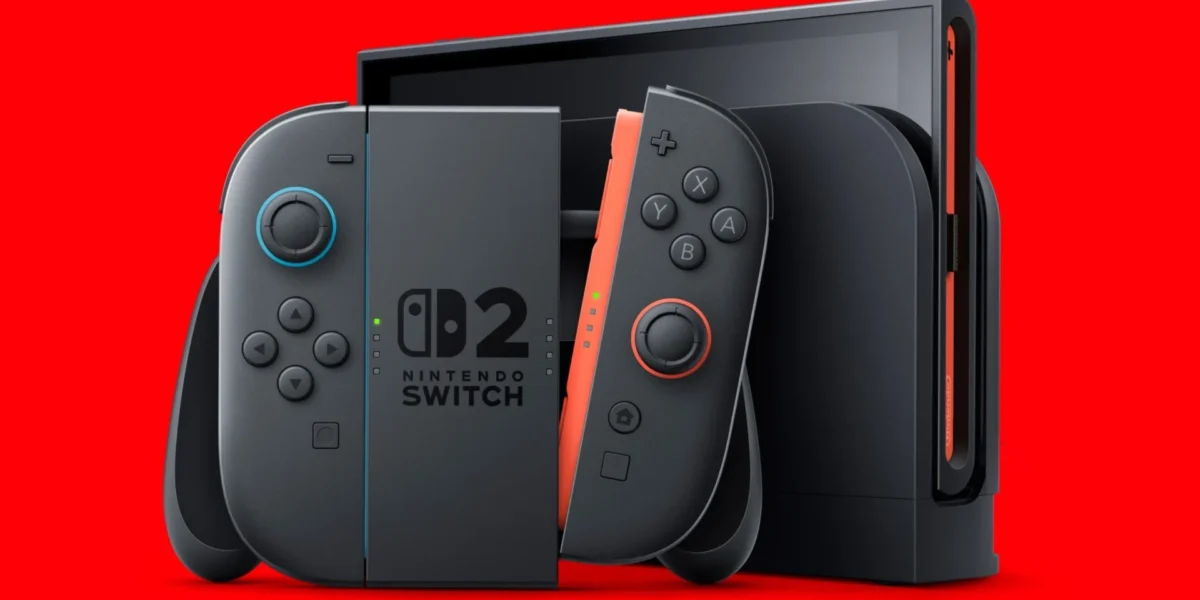
A year after its debut, the Switch 2 has been consistently refreshed with firmware updates, ensuring the system remains polished and reliable.
Nintendo has just released firmware 22.5.0, which brings a suite of stability enhancements and broadened language support. In addition, the eShop has received a fresh redesign, offering a cleaner layout and improved navigation.
Users who do not receive an automatic prompt can manually upgrade through the System Settings menu. For a comprehensive overview of the new patch notes, consult Nintendo’s official support documentation.
This update marks Nintendo’s first firmware release for both the Switch and Switch 2 since April 2026. Earlier this year, a major update introduced Handheld Boost Mode, enhanced Game Chat features, and additional improvements.
Nintendo has just rolled out a fresh Nintendo Music update, enriching the Free Roam experience with new tracks from the Mario Kart World soundtrack. The addition features iconic melodies from the Super Mario Bros. 1, 2, and 3 playlists, giving fans a nostalgic boost while they race.
These new tunes not only enhance the game’s ambience but also showcase Nintendo’s commitment to keeping classic content alive for both veteran players and newcomers.
❓ Frequently Asked Questions (FAQ)
What new features are included in the Nintendo Switch 2 firmware 22.5.0 update?
Firmware 22.5.0 focuses on stability improvements, expanded language support, and a redesigned eShop with a cleaner layout and better navigation. It also introduces new music tracks for Free Roam, featuring classic Mario Kart World melodies.
How can I manually install the 22.5.0 firmware if I don’t see an automatic prompt?
Navigate to System Settings on your Switch or Switch 2, select the System Update option, and follow the on-screen instructions to download and install the 22.5.0 firmware manually.
Will the new firmware affect my existing games or save data?
No, the 22.5.0 update is designed to enhance system stability and UI without altering game files or save data. Your games and saves will remain intact after the update.
News Source: Nintendo Life




Comments
Be the first to comment.