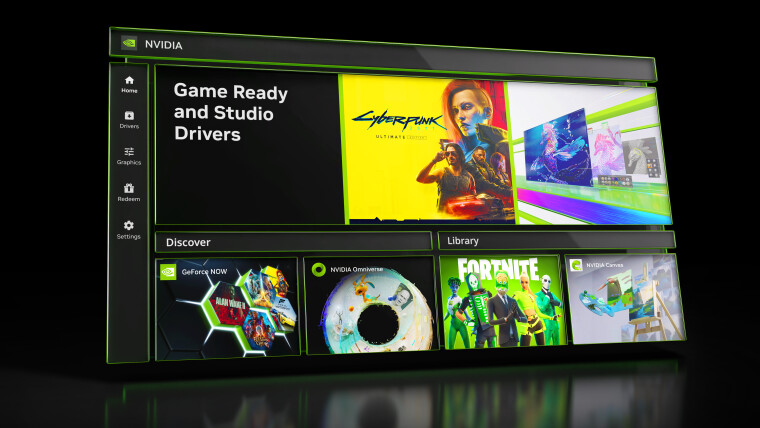
Today, Nvidia rolled out its Game Ready Driver 610.47, a fresh update that extends support for the latest titles and patches lingering bugs for GeForce graphics card users.
In a bold move that signals a shift in the company’s long‑standing approach, Nvidia announced that the familiar NVIDIA Control Panel—an interface that has guided users for two decades—will officially retire with this release.
According to the driver’s release notes, the discontinuation stems from Nvidia’s decision to consolidate all currently supported features into its newer NVIDIA App, streamlining the user experience.
Existing users who already have the Control Panel installed will retain access, but any fresh driver installation will remove the legacy software and its convenient desktop shortcut.
For NVIDIA RTX PRO customers, the Control Panel will remain available until the professional features are fully migrated to the NVIDIA App, ensuring a smooth transition for enterprise workflows.
Nvidia has confirmed that the legacy Control Panel will remain available as an optional download through the Microsoft Store, but the company will cease all future bug fixes and feature enhancements for the existing version.
In a recent statement, Nvidia announced that the latest app update has migrated all actively supported Control Panel features for GeForce users into the new client. The revamped Nvidia App now houses the full suite of modern functionality for GeForce RTX GPUs, plus additional tools, all running faster and more efficiently.
The Nvidia App, launched in 2024, was designed to streamline the management of multiple Nvidia utilities by consolidating them into a single, user‑friendly platform. Since its debut, the company has steadily expanded its feature set and transferred key capabilities from the classic Control Panel.
Users who still prefer the traditional interface can download the official Nvidia Control Panel directly from the Microsoft Store by following the provided link.
News Source: Neowin






Comments
Be the first to comment.