

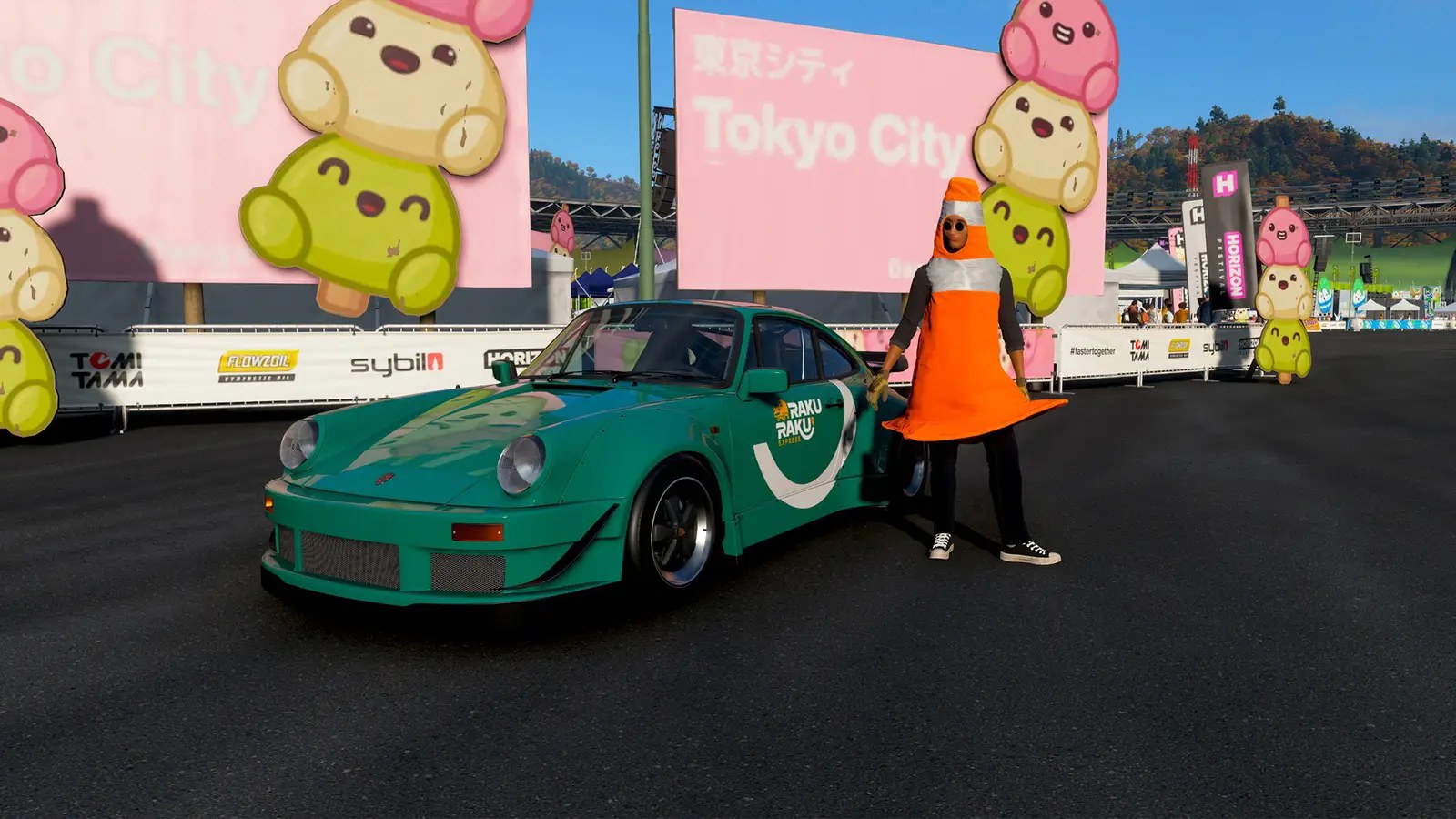
The vibrant world of Forza Horizon 6 continues to evolve, offering players fresh experiences and exciting challenges. This week, the Mascot Party festival playlist brings a delectable twist with the #DeliciousDango photo challenge. But where exactly can you find this sugary treat in the game?
Locating the Tokyo City Dango Area
Don’t let the name fool you! While “Tokyo City” might conjure images of bustling streets and neon lights, the Dango area is actually located within a very specific spot on the map. It’s all part of the evolving world, so keep that in mind as you explore.
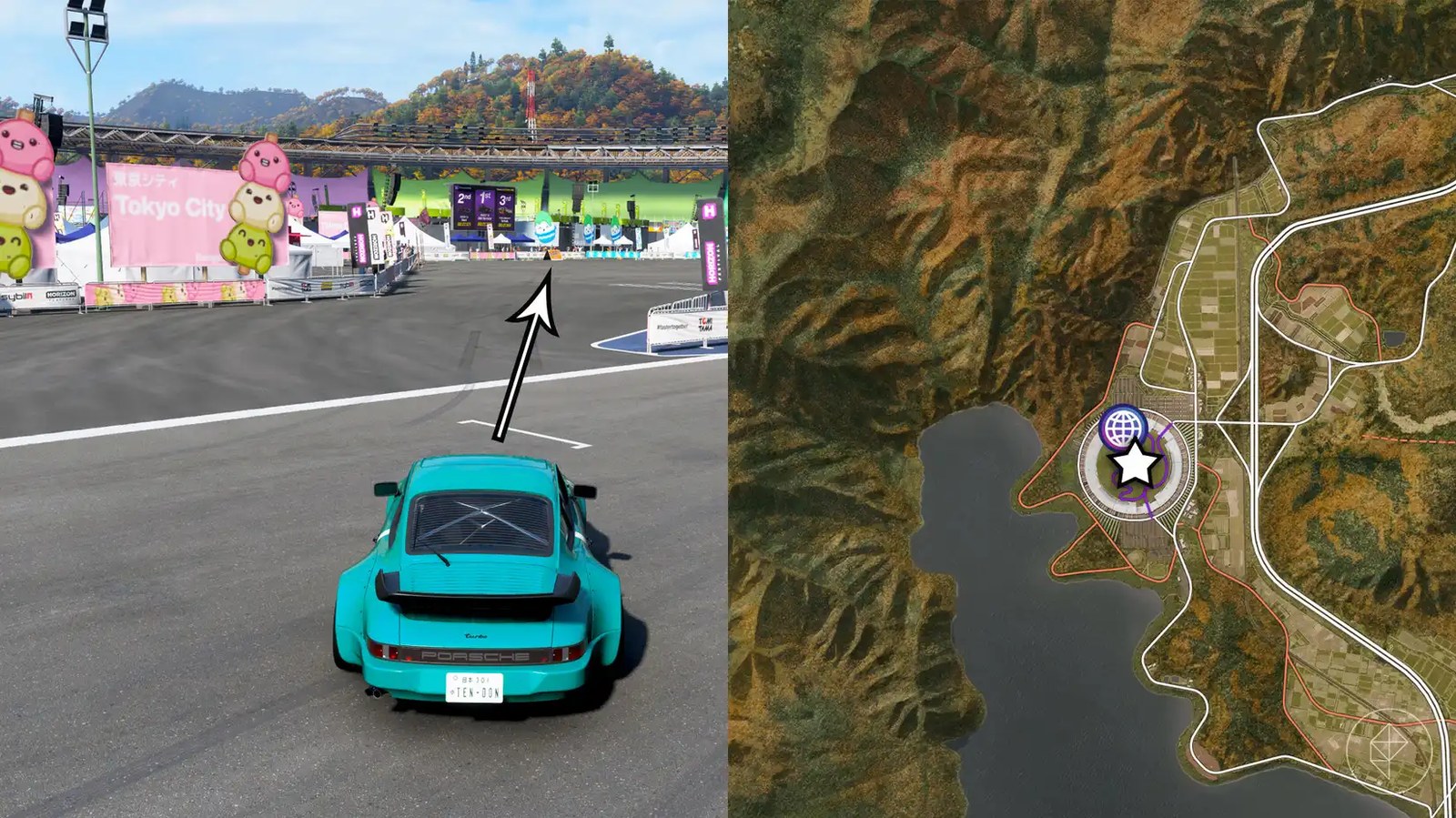
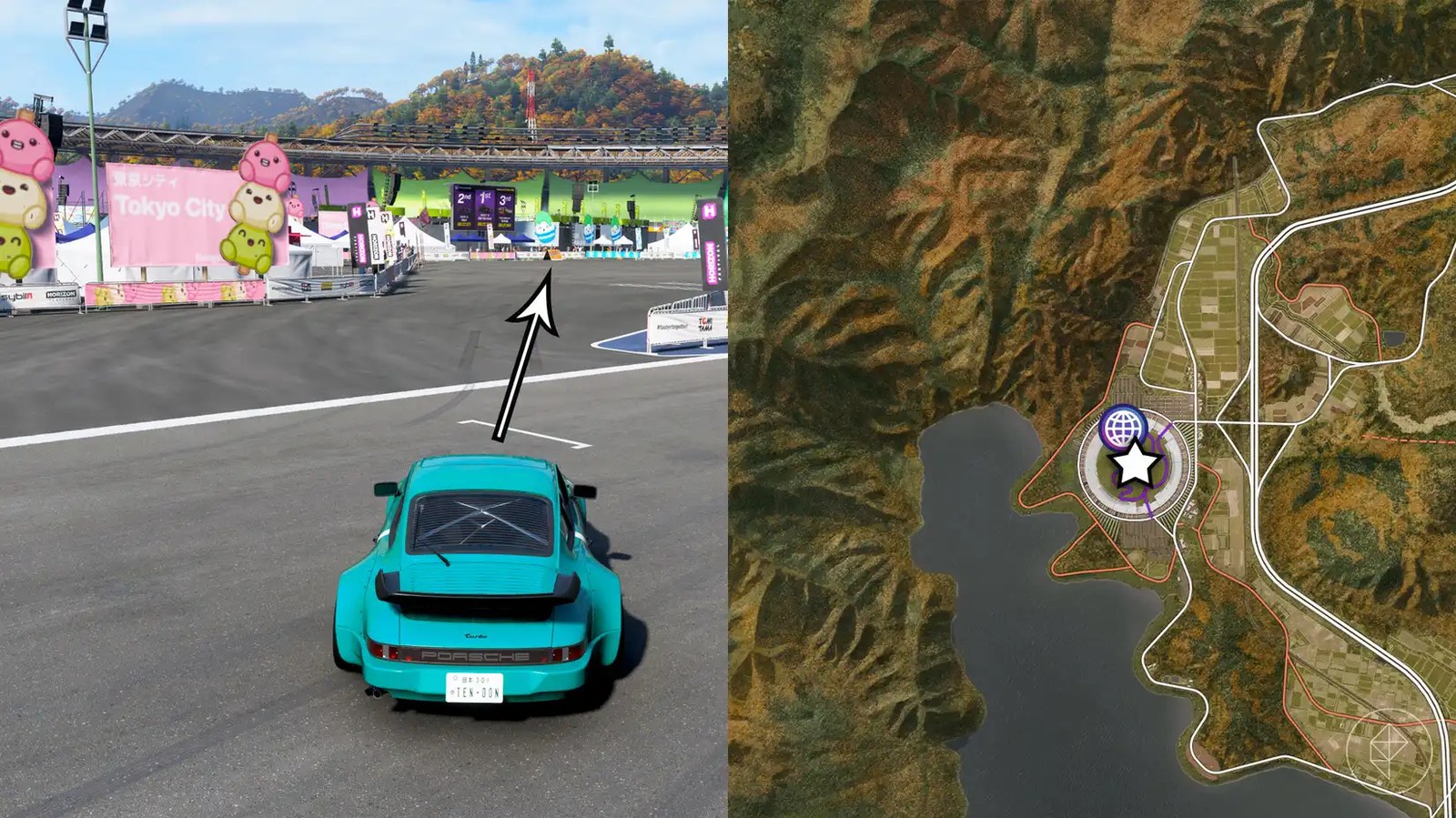
The Mascot Party’s Tokyo City Dango area resides at the heart of Horizon Stadium. This massive, circular structure sits prominently on the west side of the game world. Inside, you’ll discover themed areas representing various regions featured throughout the map, each accompanied by its corresponding mascot. The Tokyo City section is centrally located and easily identifiable by its distinctive pink signage.

Completing the #DeliciousDango Photo Challenge
To successfully complete the #DeliciousDango photo challenge, you’ll need to position your car within the designated parking lot section of the Tokyo City area and capture that perfect shot. A common mistake is attempting to take the picture near the entrance; make sure you’re properly positioned inside the parking zone.
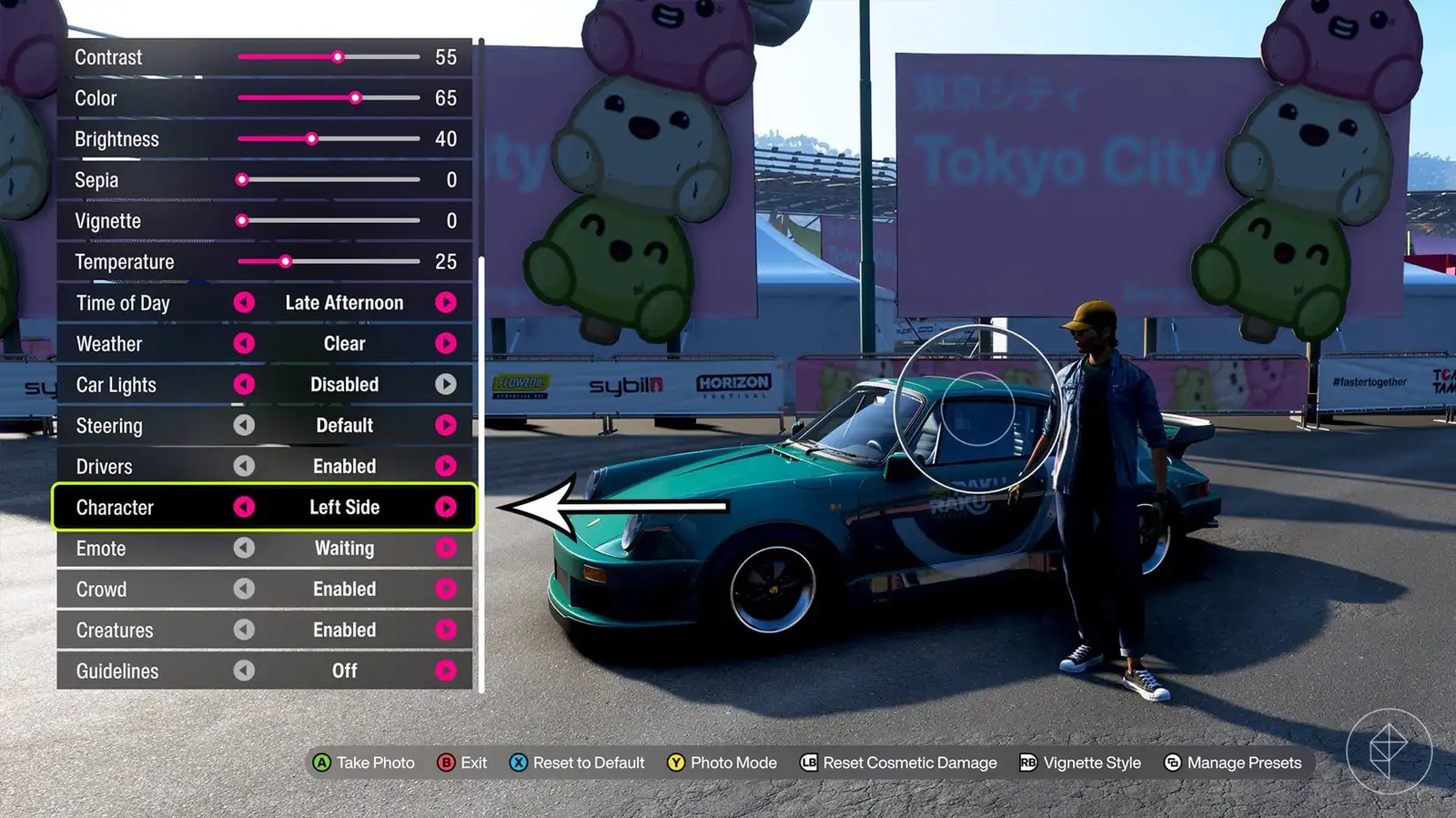
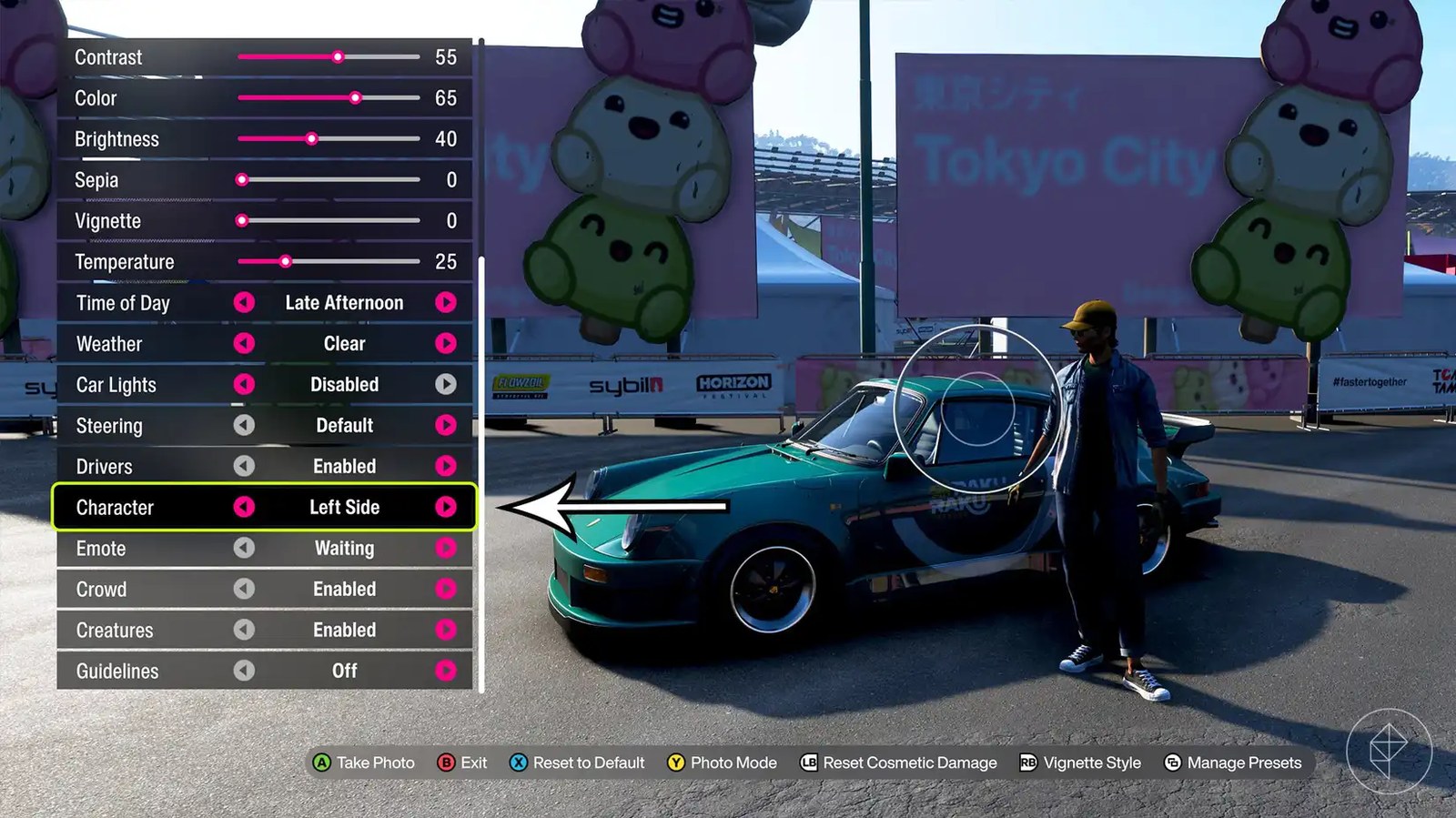
Crucially, remember that you must be outside your car when you take the picture. Access the “Effects” menu within photo mode and navigate to the “Character” option. Adjust this setting until your character is standing outside the vehicle. Once positioned correctly, snap a quick photo to complete the challenge and earn those valuable festival points!
Have thoughts, questions, or benchmarks on this topic? Join the discussion on our forums.
Join Discussion ➔






















2 comments